
An email job alert runs your search for you and sends new matches to your inbox. For drivers, that means FedEx-related linehaul, CDL-A team, CDL-A solo, and pickup and delivery openings reach you without daily checking. For FedEx-contracted Service Providers, the same tool shows which openings and driver pools you compete with. UCEP is built only for FedEx Service Providers and the drivers who work for them, so alerts there cover FedEx-related roles in one place.
TL;DR
- A job alert saves a search and emails you new matching jobs. Most systems let you pick daily, weekly, or monthly delivery.
- Create separate alerts for each role type (linehaul, CDL-A team, CDL-A solo, pickup and delivery) and each location you would work.
- Use daily delivery for roles that fill quickly. Broaden keywords if an alert returns nothing.
- Use an email address you check every day, and look in spam if alerts go missing.
- Service Providers can use alerts to watch the market, but a steady recruiting routine matters more than any single channel.
Table of Contents
- What an email job alert does
- How to set up an alert for FedEx-related driving jobs
- Which filters work best
- How often alerts should arrive
- Keep alert emails out of spam
- Email or text alerts
- For Service Providers: using alerts in recruiting
- Our perspective
- Post your openings on UCEP
- FAQ
- Sources
What an email job alert does
An alert is a saved search. You enter keywords and filters once. The site then checks for new postings and emails you the ones that match. USAJOBS explains that you can choose daily, weekly, or monthly delivery, create up to 10 alerts, and that each alert stays active for one year unless you renew it. Those limits are specific to that site, but the pattern is common: a few focused alerts, a chosen frequency, and a renewal date to remember.
Dice's help center describes the same idea. You search, apply filters, click "Set Job Alert," and the alerts run automatically so you can apply before other candidates. Some sites also offer a recommended-jobs alert built from your profile.
For drivers, speed is the main benefit. Driver openings can fill fast, and an alert puts the listing in front of you the day it appears. Our guide on job alerts for drivers seeking FedEx roles goes further into how this works for FedEx-related work.

How to set up an alert for FedEx-related driving jobs
The steps are the same on most job sites. Here is the routine, with the points where drivers usually go wrong.
- Open the job search. On UCEP, start at the jobs page, which lists Pickup & Delivery, CDL-A Solo Linehaul, and CDL-A Team Linehaul categories.
- Pick one role type. Choose linehaul, CDL-A team, CDL-A solo, or pickup and delivery. Do not mix them in one alert. A mixed alert returns a long, uneven list and you stop reading it.
- Set your location. Use the city or state you would actually work from. If you would relocate or run a wider area, make a second alert for it.
- Add filters. Narrow by the qualifications you hold, such as a Class A CDL for tractor-trailer and line-haul work. A FedEx application guide notes that a Class A CDL is required for tractor-trailer, OTR, and line-haul positions, and that FedEx posts CDL jobs without experience requirements for recent training graduates.
- Choose frequency. Daily for roles you want now. Weekly for roles you are only watching.
- Confirm your email address. Enter one you check daily and that looks professional.
- Save, then test. Look at the first email you receive. If it is off target, edit the filters rather than deleting the alert.
The same guide says FedEx recruiting communications arrive by email, including scheduling links, assessment invitations, and offer letters, and that a missed message can cost a candidate the position. The email address you give your alerts should be the one you read every day.
Which filters work best
Two mistakes cause most bad alerts: filters that are too tight, and filters that are too loose. USAJOBS says broader keywords return more results, while specific keywords return fewer results that match more closely. It also advises separate alerts for different job types or locations, and says that if an alert returns nothing, you should broaden keywords or remove filters.
A practical setup for a driver:
| Alert | Role | Location | Frequency |
|---|---|---|---|
| 1 | CDL-A solo linehaul | Home state | Daily |
| 2 | CDL-A team linehaul | Home state plus neighbors | Daily |
| 3 | Pickup and delivery | Within commuting distance of home | Daily |
| 4 | Any of the above | A state you might move to | Weekly |
If you drive with a partner, build the team alert together and have both of you receive it. Team roles are posted less often than solo roles, so missing one costs more.
Keep a note of which alert you created and when. If your system expires alerts after a set period, as USAJOBS does after one year, you will know when to renew.
How often alerts should arrive
Daily delivery suits roles that close quickly, which is the advice USAJOBS gives for specific or competitive jobs. Weekly or monthly fits browsing. You can usually change frequency later, and USAJOBS lets you pause, renew, archive, or delete alerts in your profile.
If alerts pile up while you are working a job, pause them rather than letting the inbox fill. If you want out entirely, our guide on how to unsubscribe from job alerts covers the steps.
Keep alert emails out of spam
A good alert does nothing if it lands in junk. USAJOBS lists the checks to run when alerts do not arrive:
- Confirm the alert is active and not archived.
- Verify the email address in your profile.
- Look in the spam or junk folder.
- Review your filters in case the search is too narrow.
If you find alerts in spam, mark them as not spam and add the sender to your contacts. Create a folder or label for job alerts so you can scan them in one sitting each day.
On the road, long haul drivers also need somewhere to rest between runs. If you plan a stay near a job site, this overview of work truck parking and lodging shows what crew-oriented stays can look like in Odessa, Texas.
Email or text alerts
Email suits detail: a full listing, pay, terminal, and a link to apply. Text messages suit speed. If you want both, read our guide to FedEx SMS alerts for truck drivers, which includes steps to sign up and avoid scams. For a wider look at where to search, see the nationwide trucking job search guide.
For Service Providers: using alerts in recruiting
Driver hiring is a constant task for FedEx-contracted Service Providers. A May 2026 article on FedEx contractor hiring suggests running at least five active channels, targeting 14 days to fill a role, and setting aside about four hours a week for recruiting. These are one publisher's recommendations, so treat them as benchmarks to test against your own results.
Alerts help in two ways:
- Market watching. Set alerts for your own role types and region. You see how many comparable openings appear and what they offer, which tells you whether your listing is competitive.
- Off-season bench building. The same article argues that hiring reactively at peak leads to rushed hires. Steady weekly attention in slower months gives you a pool before volume rises. See why seasonal hiring spikes in trucking happen and plan around them.
Our guides on job alerts in recruiting, hiring linehaul drivers fast, team driver recruiting, and the best time to post trucking jobs give the working detail. When drivers become available, driver availability alerts are covered too.
Our perspective
Alerts only work when the pool behind them is the right one. A general board sends a driver everything from local delivery to unrelated freight. A FedEx driver wants linehaul, team, solo, or pickup and delivery work with a FedEx Service Provider, and nothing else.
That is why we built UCEP around one audience. Drivers get job categories that match how they actually search, plus employer and terminal directories and reviews to research a company before they apply. Service Providers reach FedEx-experienced drivers, and our platform says that reach is 140,000+ drivers, with a built-in applicant tracking system and targeted driver alerts to manage the response.
Set a few precise alerts, check them daily, and keep your email in order. The rest is speed.
Aaron
Post your openings on UCEP
If you are a Service Provider, UCEP offers a Complimentary Trial Listing and a Standard Monthly Plan at $99 per month. Plans include job listings, applicant tracking, and company profile management for FedEx-related driver roles. See the pricing page to start.
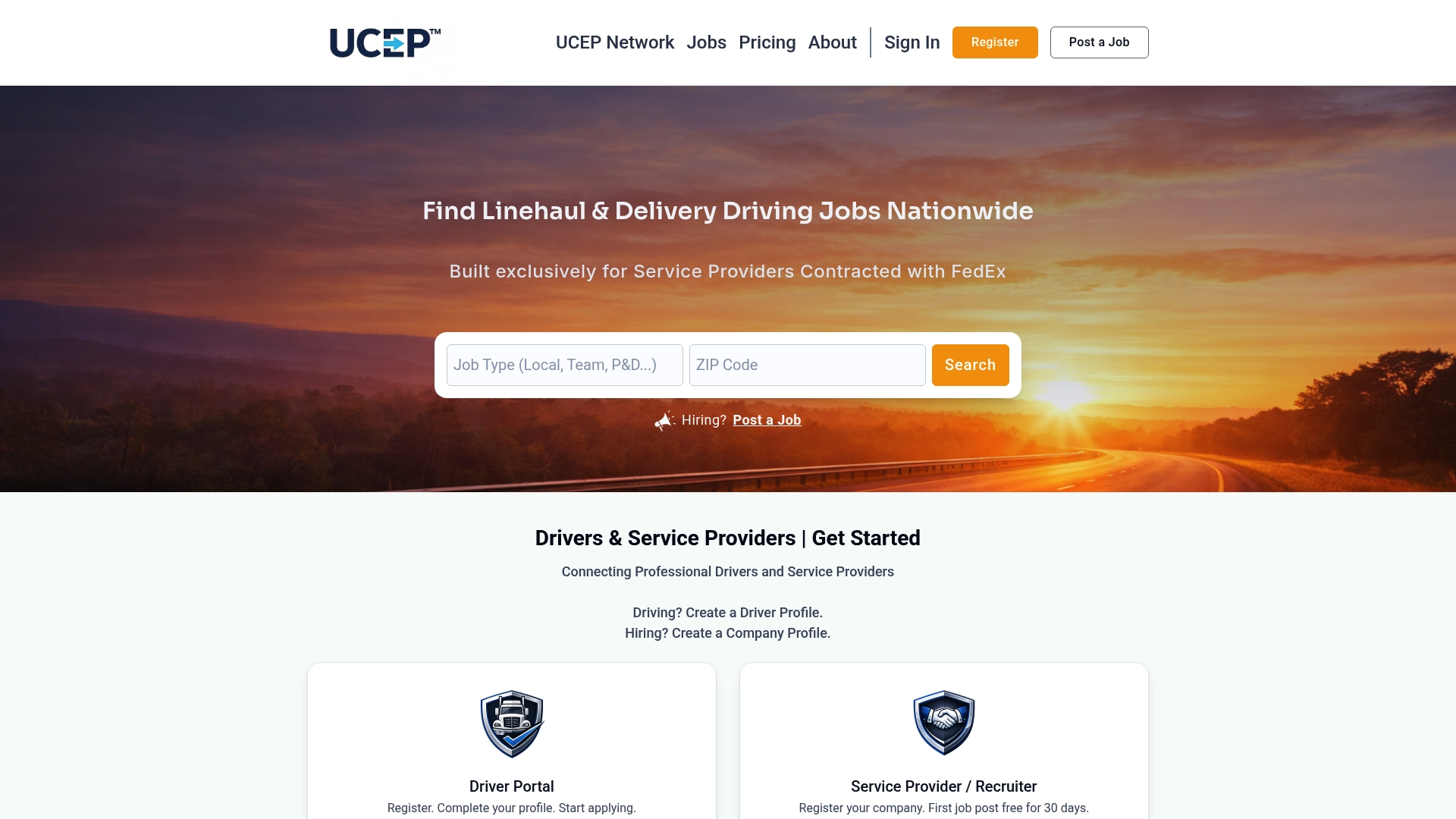
Drivers can browse Pickup & Delivery, CDL-A Solo Linehaul, and CDL-A Team Linehaul openings on the UCEP jobs page at no cost.
FAQ
How many alerts should I create?
One per role type and location you would take. For most drivers that is three or four. More than that tends to produce overlapping emails, and you start skipping them.
Should I choose daily or weekly alerts?
Choose daily for roles you want soon, since competitive postings can close quickly. Choose weekly if you are only watching the market. You can change the setting later.
What if my alert returns no jobs?
Broaden the keywords or remove a filter, such as a narrow location. Specific searches return fewer results, so a very tight alert may simply have no match yet.
Why are my alert emails missing?
Check that the alert is active, that the email on your profile is correct, and that the messages are not in your spam or junk folder. Then review the filters for being too narrow.
Sources
- USAJOBS: Create a job alert to get new jobs emailed to you
- Dice Knowledge Center: job alerts and setting them up
- FedEx job application: How to apply online
- Where FedEx Contractors Actually Find Drivers in 2026