
Job alerts are automated notifications that inform professional drivers immediately when new positions matching their qualifications and preferences become available. In the context of FedEx driving roles, including linehaul, CDL-A team, CDL-A solo, and pickup and delivery positions, the role of job alerts for drivers is to cut through the noise of a competitive hiring market and put the right opportunity in front of you at the right time. Platforms like LinkedIn, Driver Pulse, and niche boards such as Ucep deliver these notifications directly to your inbox or app. The difference between landing a FedEx contract role and missing it often comes down to hours, not days.
How job alerts improve job search speed and application success
Speed is the single biggest advantage job alerts give you. Candidates who apply within 72 hours of a posting are about 40% more likely to get an interview. That statistic means the first wave of applicants captures a disproportionate share of recruiter attention, and job alerts are the mechanism that puts you in that first wave.
FedEx linehaul and pickup and delivery roles fill quickly. Service providers contracted with FedEx often post positions and begin screening within 24 to 48 hours. Without an alert system, you may not discover a posting until it has already received dozens of applications. With a daily alert, you see it the same morning it goes live.
Pro Tip: Set your alerts to deliver daily rather than weekly. A weekly digest means you could be responding to a five-day-old posting, which puts you well outside the early-applicant window that drives interview rates.
The speed advantage compounds when you pair it with a prepared profile. A strong application submitted within 18 hours outperforms a weak application submitted within two hours. Alerts buy you time to apply early, but your resume and profile still need to be ready before the alert arrives.
How to optimize alert settings for FedEx driving opportunities
Generic alert settings produce generic results. Most drivers set a broad "truck driver near me" alert and then wonder why their inbox fills with irrelevant postings for roles that do not match their license class, endorsements, or preferred route type. Filtering by endorsements, equipment type, and home time separates right-fit alerts from near-me alerts, and that distinction directly affects how efficiently you spend your application time.
For FedEx-related roles specifically, consider building separate alerts for each of the following categories:
- CDL-A linehaul: Filter by "linehaul," "over the road," or "team driver" combined with your mileage radius preference
- Pickup and delivery (P&D): Use terms like "P&D driver," "local delivery," or "route driver" with a tighter geographic radius
- Hazmat endorsement roles: Add "Hazmat" or "HazMat endorsement required" as a keyword to surface specialized positions that pay a premium
- Company-specific alerts: Set alerts for the names of top FedEx service providers in your region to monitor their posting frequency and timing
Granular alert filters reduce alert fatigue by eliminating irrelevant postings before they reach you. Alert fatigue is a real problem. When your inbox floods with mismatched roles, you start ignoring notifications entirely, which defeats the purpose of the system.
Pro Tip: Run three to five separate segmented alerts rather than one broad alert. Each alert should target a distinct role type, license requirement, or geographic zone. This keeps each notification feed manageable and relevant.
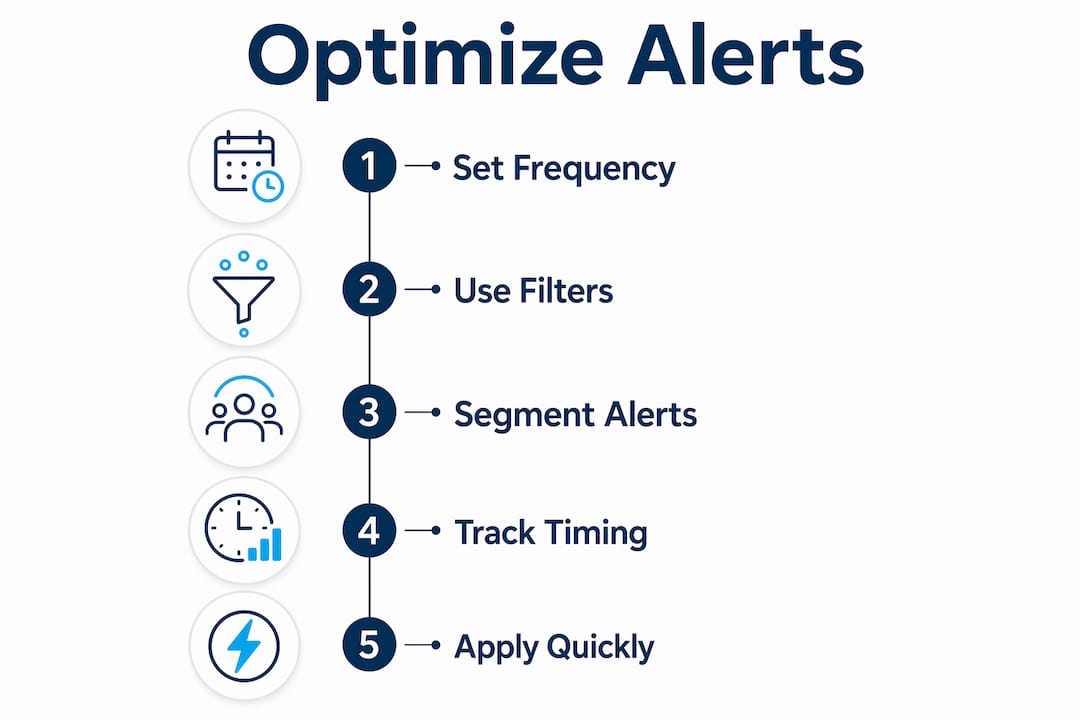
Setting company-specific alerts for top FedEx contractors also gives you competitive intelligence. When a service provider posts frequently over a short period, it signals rapid growth or high turnover. Both are useful data points when you are evaluating where to apply and what compensation to negotiate.
Which platforms offer the best job notification services for drivers?
Not all driver job alert platforms deliver the same quality of notifications. The differences come down to specificity, recruiter responsiveness, and how well the platform filters for commercial driving roles.
| Platform | Alert specificity | Best for | Recruiter response speed |
|---|---|---|---|
| Moderate | Broad CDL roles, passive branding | Moderate | |
| Indeed | Low to moderate | High volume, general search | Variable |
| TruckDriver.com | High | CDL-specific roles, fleet hiring | Fast |
| Ucep | Very high | FedEx service provider roles only | Fast |
| Driver Pulse app | High | Direct recruiter communication | Very fast |
Generalist boards like LinkedIn and Indeed reach large audiences, but their alert filters are built for white-collar job seekers first. You can configure them for driving roles, but the filtering granularity is limited compared to trucking-focused portals. Niche platforms like TruckDriver.com and Ucep reduce recruitment noise and deliver higher quality matches because every listing on the platform is already relevant to commercial drivers.
The Driver Pulse app takes a different approach. Driver Pulse provides direct, transparent communication with recruiters and real-time job updates, which speeds up the hiring conversation after you apply. It functions less like a traditional job board and more like a messaging layer between drivers and hiring managers.
Social media and professional networks also play a role, though a different one. Passive branding on professional networks can lead to being contacted for roles that never appear on any job board. Keeping your LinkedIn profile current and active means recruiters searching for CDL-A drivers may find you before you find their posting. This is not a replacement for active alert-based searching, but it is a useful complement to it. You can read more about how niche boards outperform generalist platforms for high-volume driver recruiting.
Best practices for using job alerts to secure FedEx roles faster
Receiving an alert is the starting point, not the finish line. What you do in the minutes and hours after an alert arrives determines whether it converts into an interview. Follow these steps to get the most out of every notification:
-
Check alerts at set times each day. Scheduled daily check-ins are less exhausting and more productive than constant instant checking. Morning, midday, and early evening checks keep you current without creating anxiety around every notification.
-
Apply with a tailored resume, not a generic one. Adjust two or three lines of your resume to reflect the specific role type in the alert. For a linehaul position, emphasize long-haul mileage and team driving experience. For a P&D role, highlight local route familiarity and customer interaction.
-
Use alerts as market research. Track which service providers are posting frequently, what endorsements they require, and what compensation ranges they list. This data gives you leverage when negotiating pay or evaluating offers.
-
Integrate alerts with direct recruiter outreach. When an alert surfaces a role from a company you want to work for, follow up the application with a direct message to the recruiter or hiring manager. Alerts identify the opportunity; your outreach separates you from passive applicants.
-
Maintain your profile between applications. A strong resume and profile submitted early outperforms a weak one submitted immediately. Update your certifications, endorsements, and recent driving history so your profile is ready the moment an alert arrives.
Pro Tip: Use the posting patterns you observe through alerts to time your applications strategically. If a specific FedEx service provider posts new roles every Monday morning, have your resume and cover note ready by Sunday night.
Combining alert-based searching with active networking produces better results than either approach alone. Alerts surface opportunities you would otherwise miss. Networking surfaces opportunities that never get posted publicly. Together, they cover the full spectrum of how FedEx service providers hire drivers. Ucep's guide on CDL-A team driver success covers how to position yourself for the most competitive roles once you find them.
Key takeaways
Job alerts give professional drivers a measurable speed advantage in competitive hiring markets, and that advantage only holds when alerts are configured with precision and acted on quickly.
| Point | Details |
|---|---|
| Apply within 72 hours | Early applicants are 40% more likely to secure an interview, making alert speed critical. |
| Segment your alerts | Separate alerts by role type, endorsement, and geography to eliminate irrelevant notifications. |
| Choose niche platforms | Trucking-focused boards like Ucep deliver higher-quality FedEx role matches than generalist boards. |
| Pair alerts with preparation | A strong profile submitted early beats a weak profile submitted immediately after an alert. |
| Use alerts for intelligence | Monitoring posting patterns reveals hiring trends and gives you negotiation leverage. |
What I've learned watching drivers use alerts well and poorly
From observing how professional drivers interact with job alert systems across the FedEx contractor market, one pattern stands out clearly. Drivers who treat alerts as a passive feed rarely convert them into interviews. Drivers who treat alerts as a trigger for immediate, prepared action land roles faster and with better terms.
The platforms have improved significantly. Driver Pulse and Ucep have raised the bar for what niche job notification services for drivers can deliver. The signal-to-noise ratio on these platforms is genuinely better than what you get from a broad Indeed search. That said, no platform solves the problem of an unprepared applicant. The alert gets you to the door. Your resume and your endorsements get you through it.
Alert fatigue is the biggest risk I see drivers underestimate. When you set one broad alert and receive 40 irrelevant notifications a day, you start treating all notifications as noise. The fix is not to turn alerts off. It is to build three to five segmented alerts that each deliver five to ten relevant postings per week. That volume is manageable and actionable.
The future of driver job alerts points toward real-time, recruiter-direct communication tools. Platforms that combine job matching with direct messaging are compressing the time between posting and hire. For drivers pursuing FedEx linehaul and P&D roles, that compression is an advantage if you are ready for it and a missed opportunity if you are not.
— Aaron
Find FedEx driving roles faster with Ucep
Ucep is a dedicated job board and recruiting platform built exclusively for Service Providers contracted with FedEx. Every listing on Ucep is relevant to CDL-A linehaul, CDL-A team, CDL-A solo, and pickup and delivery drivers. You will not sort through unrelated postings or receive alerts for roles outside the FedEx network.
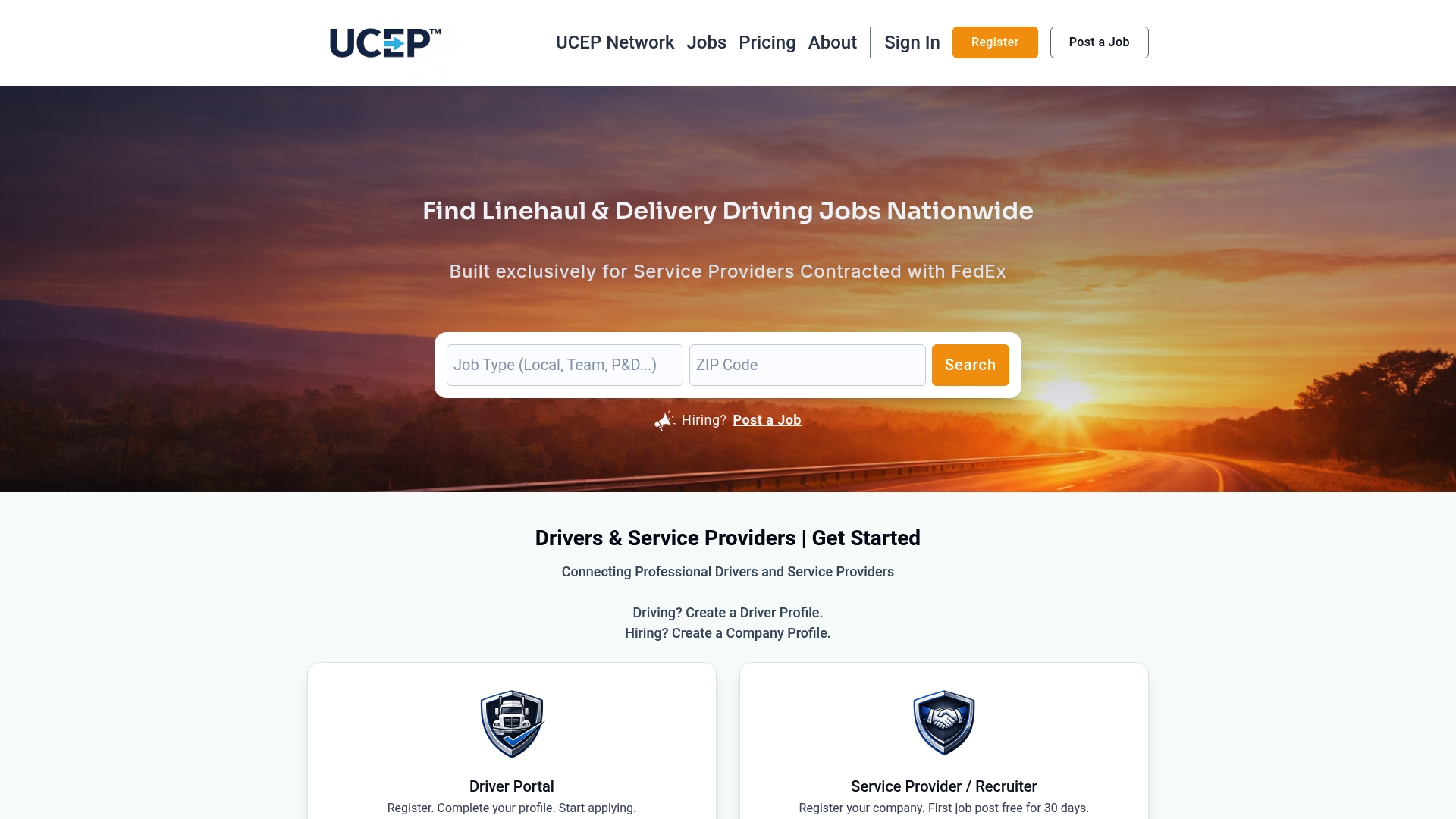
Ucep's alert system is built around the specificity that FedEx driving roles require. You can filter by role type, license class, and region to receive only the notifications that match your qualifications. Service providers on the platform are actively hiring, and recruiter response times are faster than on generalist boards. Visit Ucep's driver job board to set up your alerts and start applying to FedEx-related driving opportunities nationwide.
FAQ
What is the role of job alerts for drivers?
Job alerts are automated notifications that inform drivers when new positions matching their qualifications are posted. For professional drivers, they reduce manual search time and enable early applications, which directly increases interview rates.
How do job alerts help drivers find FedEx roles faster?
Drivers who apply within 72 hours of a posting are about 40% more likely to get an interview. Job alerts deliver new FedEx service provider postings immediately, putting you in the first wave of applicants before roles fill.
What alert settings work best for CDL-A drivers?
Segment alerts by role type such as linehaul versus pickup and delivery, filter by endorsements like Hazmat, and set a specific mileage radius. Running three to five separate segmented alerts produces more relevant results than one broad alert.
Which platforms offer the best job notification services for drivers?
Niche platforms like Ucep and TruckDriver.com deliver higher-quality matches for commercial drivers than generalist boards like Indeed or LinkedIn. The Driver Pulse app adds direct recruiter communication on top of job notifications.
How often should drivers check their job alerts?
Checking alerts three times a day, morning, midday, and early evening, keeps you current without creating notification fatigue. Scheduled check-ins are more productive than responding to every push notification as it arrives.