
Sign up through a trucking-specific job board, confirm the opt-in text you receive, and set your ZIP code, CDL class, and endorsements right away. That single action gets you sms job alerts trucking employers actually send, instead of generic blasts you have to sort through. Once you confirm, watch for the sender name, a message-frequency note, and clear STOP/HELP instructions. Those three details tell you the program is legitimate before you reply to anything.
TL;DR:
- Confirm that the SMS alert sender name, message frequency, and STOP/HELP instructions are clear before replying to ensure legitimacy.
- Keep your profile updated with accurate ZIP code, CDL endorsements, and job preferences to receive relevant and targeted job alerts.
- Provide explicit consent for each sender individually, and avoid forms that bundle multiple companies' consent to comply with FCC regulations.
- Be alert for scam signs such as high pay promises without a history or application, urgent responses, or suspicious links, and verify employers independently.
- Regularly review and update your alert preferences and unsubscribe from outdated or irrelevant subscriptions to improve match quality and reduce scam exposure.
Table of Contents
- How to Sign Up for Trucking SMS Job Alerts
- Make Alerts Useful: What to Include in Your Profile
- What Rules Govern Recruiting Text Messages?
- How to Spot and Avoid SMS Job Scams
- What Happens After You Get a Job Alert?
- Why a FedEx-Focused Job Board Changes the Alert Quality
- Keeping Your Alerts Accurate Over Time
- Get Targeted FedEx Driver Alerts Through UCEP
- Sources
- FAQ
How to Sign Up for Trucking SMS Job Alerts
Most drivers find signup forms in three places: individual carrier career pages, general driver job boards, or a niche platform built around one type of freight work. UCEP falls into that third category, focused on driving jobs connected to FedEx Service Providers.
Here's what the signup process usually looks like, step by step:
- Find the alert signup form. Look on the employer's careers page, a driver-focused board, or a niche platform's job alerts page.
- Fill in the required fields. You'll typically enter your phone number, ZIP code or state, and CDL class. Check for explicit language confirming you're agreeing to receive text messages, not just email.
- Wait for the confirmation text. A compliant program sends a welcome message stating who's texting you and how often.
- Test the reply commands. Text HELP to confirm you get a support response, and know that STOP will end the messages instantly.
If a form skips step 3 or 4 entirely, treat that as a warning sign rather than a convenience.
Make Alerts Useful: What to Include in Your Profile
A bare phone number gets you noise. A filled-out profile gets you jobs that actually fit your truck, your route preference, and your schedule. Recruiters and lead-generation services increasingly rely on tightly targeted opt-ins rather than broad lead forms that quietly authorize a dozen unrelated senders to text you.
Build your profile with these details:
- ZIP code or preferred operating region, not just a state
- CDL class and endorsements, including HAZMAT or doubles/triples
- Job type preference: linehaul, pickup and delivery, or team versus solo
- Home-time expectations and current availability
- Current phone number and email, updated whenever either changes
Pro Tip: Remove any alert subscription tied to a job you've already accepted or a region you've left. A profile cluttered with old preferences dilutes the relevant messages with irrelevant ones.
What Rules Govern Recruiting Text Messages?
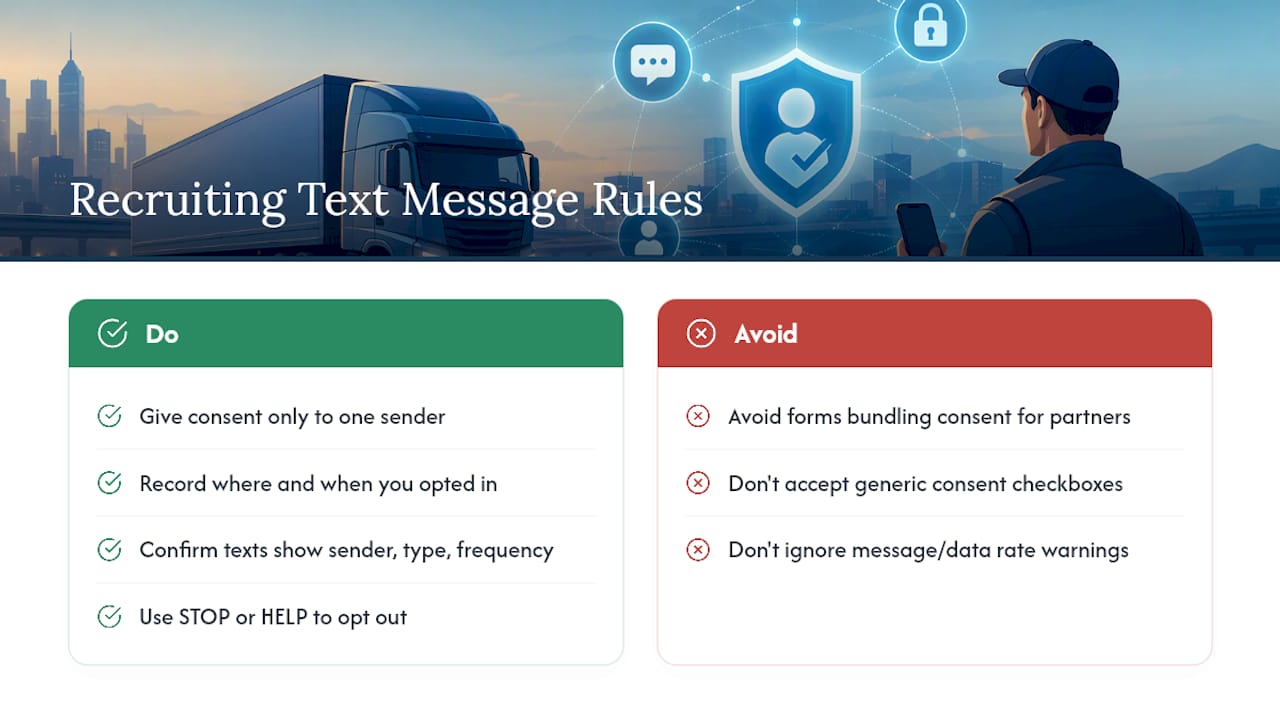
The FCC requires prior express consent before a company can send you automated text messages, and that consent has gotten more specific over time. A 2024 FCC order tightened the standard further, requiring one-to-one consent tied to a specific sender rather than a blanket agreement that lets multiple companies text you off a single signup.
The FCC's Second Report and Order makes clear that a generic consent checkbox cannot authorize a whole list of unrelated sellers to text you. Consent has to be tied to one sender at a time, and marketers have to keep records proving you agreed.
A compliant message tells you who's texting, what kind of messages to expect, and roughly how often. Most job-alert programs, like the one on J.B. Hunt's driver site, include standard language noting that message and data rates may apply and that you can reply STOP or HELP at any time.
Protect yourself by avoiding forms that bundle your consent with a dozen "partners." Note where and when you opted in, since that record matters if you ever need to dispute unwanted texts later.
How to Spot and Avoid SMS Job Scams
The FTC has flagged unsolicited job-offer texts as one of the more common scam formats hitting job seekers, trucking included. Fraudsters know drivers check their phones constantly and that a promise of quick, high-paying work gets a fast reaction.
Watch for these warning signs:
- An unsolicited text promising unusually high pay with no application history behind it
- Pressure to respond immediately or risk "losing the spot"
- Any request for your Social Security number or bank details before you've even applied
- Links to unfamiliar websites instead of a known employer domain
If a text sets off any of these flags, don't click the link and don't reply. Verify the employer independently through their real website or by calling a listed office number, or by checking a top trucking service near me to confirm fleet and employer details. Forward the suspicious text to 7726 (SPAM) and file a report at ReportFraud.ftc.gov. Impersonation works because a scam text can look identical to a real recruiting message, so confirming the sender through a separate channel matters more than anything in the text itself. The FTC also warns against sending sensitive personal data through any unsolicited message, no matter how official it looks.
What Happens After You Get a Job Alert?
An SMS alert is a starting signal, not a job offer. Treat it as a prompt to go verify the listing, not as confirmation of pay or route details.
- Apply through a verified listing. Follow the link back to the employer's actual application system rather than replying to the text with personal details.
- Expect a phone or video screen, followed by an interview if you clear that step.
- Upload documents through the employer's system, not through text or unofficial email threads.
- Complete required safety checks. For any safety-sensitive driving role, FMCSA rules require a pre-employment drug test and a review of your prior testing history before you can start work.
Share your license number and driving history once you're in a verified application. Hold off on Social Security numbers or banking details until you're inside an official onboarding portal, not a text thread. The CDL drug testing requirements guide breaks down exactly what that pre-employment screening involves.
Why a FedEx-Focused Job Board Changes the Alert Quality
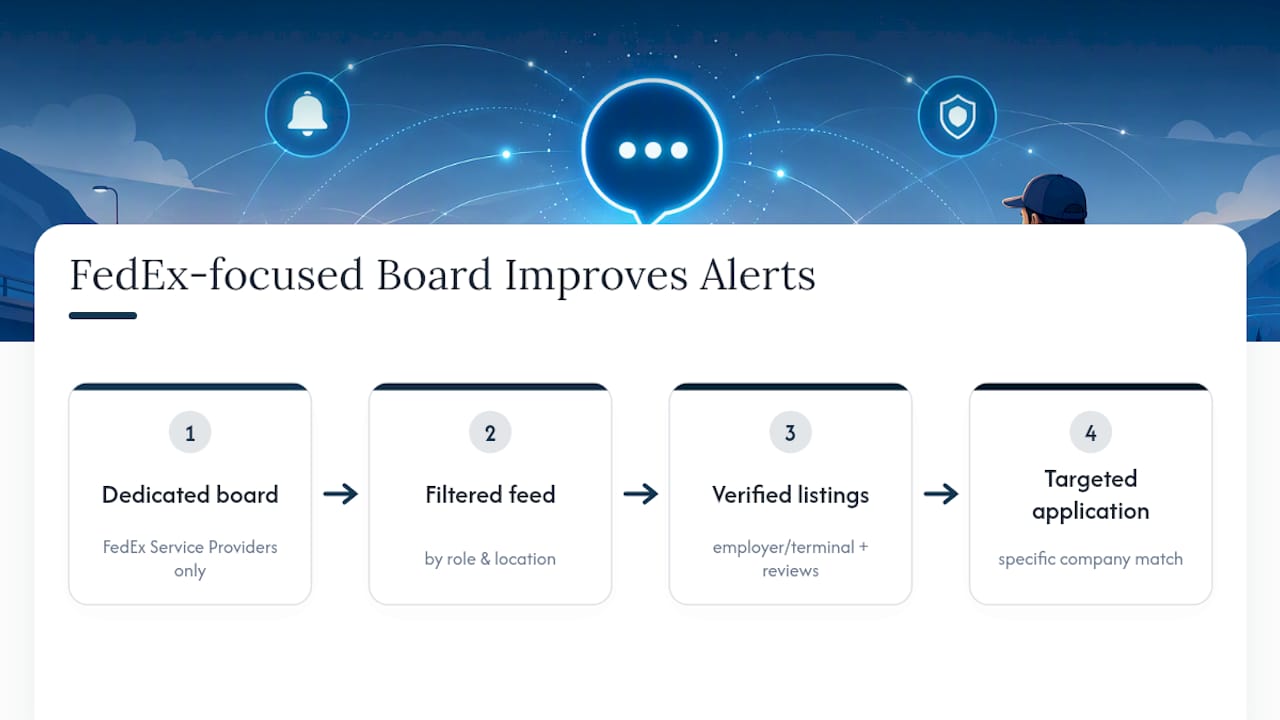
Generic job boards send whatever matches loosely to your ZIP code, regardless of freight type or contractor structure. UCEP works differently: it's a dedicated job board and recruiting platform built exclusively for drivers pursuing roles with FedEx Service Providers, covering linehaul, CDL-A team, CDL-A solo, and pickup and delivery positions.
That focus shows up in the alert quality. Instead of one generic feed, drivers work from employer and terminal directories filtered by role and location, plus driver reviews of the service providers posting jobs. A listing like Stat Trucking's driver postings shows how a targeted profile matches a driver to a specific company rather than a vague regional blast. The result is fewer irrelevant texts and a clearer path from alert to application.
Keeping Your Alerts Accurate Over Time
A signup you set once and never touch again turns stale fast. Run a quick weekly sweep of your messages, update your ZIP code and availability the moment either changes, and text STOP on anything no longer relevant to your search.
A five-minute profile update, adding a new endorsement or adjusting your home-time preference, produces noticeably better matches than leaving old information sitting there. This small habit also cuts your exposure to scam texts, since abandoned subscriptions are exactly the kind of stale, forgotten entry points fraudsters exploit.
— Aaron
Get Targeted FedEx Driver Alerts Through UCEP
UCEP gives drivers a direct path to FedEx-related trucking jobs without wading through unrelated listings from industries that have nothing to do with your CDL.
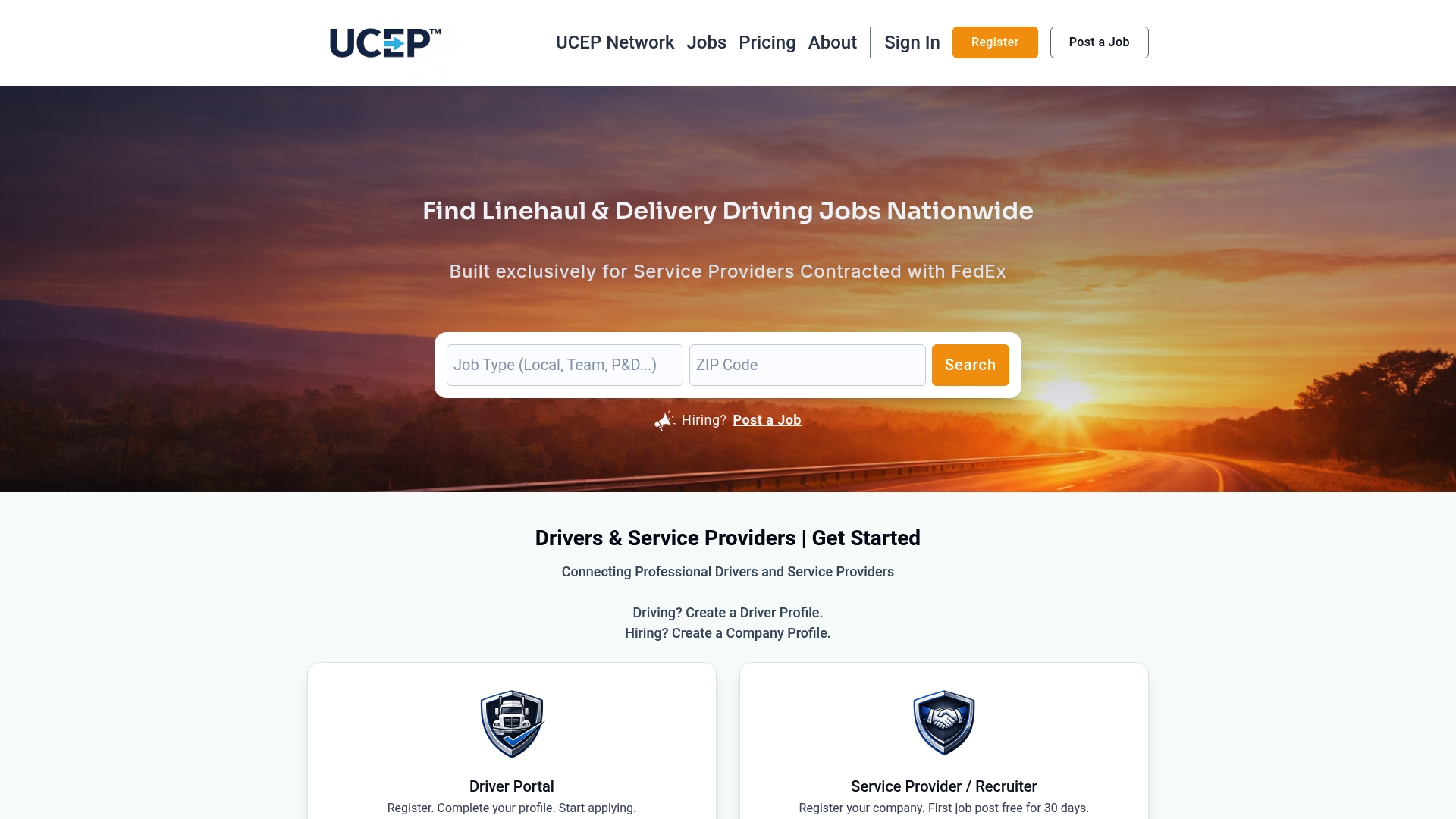
Because the platform focuses exclusively on Service Providers contracted with FedEx, the alerts you set up pull from employer directories and terminal listings built around linehaul, CDL-A solo, CDL-A team, and pickup and delivery roles, not a general feed mixing in warehouse work or unrelated driving gigs. Browse current openings on the driver jobs page and set your filters by ZIP code, class, and endorsements to start receiving alerts that match your actual qualifications. If you're a Service Provider looking to hire rather than get hired, UCEP also offers a Complimentary Trial Listing to post your first opening before committing to the Standard Monthly Plan at $99 per month.
Sources
- Stop unwanted robocalls and texts | Federal Communications Commission
- Job offer text? It’s probably a scam | Federal Trade Commission
- Drug & alcohol testing | Federal Motor Carrier Safety Administration
FAQ
Is It Safe to Give My Phone Number for Job Alerts?
Yes, as long as the form clearly states you're consenting to receive text messages from a named sender with a stated frequency. The FCC requires that prior express consent, so a form missing that language is worth skipping.
How Do I Stop Trucking Job Text Alerts?
Reply STOP to any message, and a compliant program will end the texts immediately. If messages keep coming after you've replied STOP, that's a sign the sender isn't following FCC rules and worth reporting.
Will I Get Charged for Trucking SMS Alerts?
Your carrier may apply standard message and data rates depending on your phone plan, similar to any other text message service. The alert program itself typically doesn't charge a separate fee to receive listings.
How Does UCEP Deliver SMS Job Alerts?
UCEP focuses specifically on driving roles with FedEx Service Providers, so alerts pull from linehaul, CDL-A solo, CDL-A team, and pickup and delivery listings rather than a general job feed. Drivers set filters like ZIP code and CDL class on the jobs page to get matches relevant to their qualifications.
What Should I Do If a Job Text Looks Suspicious?
Don't click any link or reply with personal information. Verify the employer independently, then forward the text to 7726 and report it to the FTC if it turns out to be fraudulent.