
A targeted job alert is a saved search that runs for you and emails new openings that match your criteria. For FedEx-related driving work, the criteria that matter most are role type (linehaul, CDL-A team, CDL-A solo, or pickup and delivery), location, and the qualifications you hold. Set one alert per role and location, choose daily delivery for roles you want badly, and edit any alert that returns noise. This guide shows how, and how Service Providers can use the same logic to reach drivers.
TL;DR
- Build one alert per role type and location, not one catch-all alert. Specific alerts return fewer, closer matches.
- Use daily delivery for roles you want soon, and weekly delivery for backup searches.
- Match each alert to a role: CDL-A team, CDL-A solo, linehaul, or pickup and delivery each need different filters.
- Review alerts on a fixed schedule, and edit or pause any alert that keeps missing your criteria.
- Service Providers can reach drivers through FedEx-focused job listings and driver alerts.
Table of Contents
- What a targeted job alert does
- Choose the role first
- Set up the alert in six steps
- Tailor the alert to the role
- How often should the alert arrive
- Fix alerts that return too much or too little
- What to do when a match arrives
- For Service Providers: how alerts help you hire
- Our perspective
- Post your openings on UCEP
- FAQ
- Sources
What a targeted job alert does
A job alert searches for jobs that match your criteria and emails you the new ones. The U.S. Office of Personnel Management describes it this way on its federal job site: you choose a delivery frequency of daily, weekly, monthly, or never, and you can create up to 10 alerts, each active for one year unless you update or renew it. Limits differ by site, so check the settings page of whichever board you use.
The word "targeted" (some drivers search for "personalized" alerts) means the alert reflects your own criteria instead of a general feed. A generic feed of "truck driver jobs" mixes local routes, long-haul roles, and company-driver positions you cannot take. A targeted alert narrows the feed to what you can accept.
Two things make an alert useful:
- The search behind it is precise. The alert is only as good as the filters.
- You act on it quickly. Many driver openings fill fast, so a good alert is worth little if you read it a week later.
Choose the role first
Before touching any filters, decide which of four FedEx-related driver roles you are targeting. Each has a different schedule, license requirement, and home-time pattern, so each needs its own alert.
| Role | License | Typical pattern | What to set in the alert |
|---|---|---|---|
| Pickup and delivery (P&D) | Depends on vehicle; confirm in the listing | Local routes, usually home daily | City or ZIP code, small radius, vehicle type |
| CDL-A solo linehaul | CDL-A | Terminal-to-terminal runs, one driver per truck | Terminal city, lane or region, CDL-A |
| CDL-A team linehaul | CDL-A | Two drivers share one truck, more miles | Team keyword, CDL-A, start terminal, partner status |
| Linehaul (general) | CDL-A in most listings | Scheduled runs between hubs | Region, shift, equipment such as doubles or singles |
The table is a starting framework. The details of each route, such as pay structure, schedule, and equipment, come from the individual listing, so read each one before applying. You can browse all three categories on the UCEP jobs page: Pickup & Delivery Driver Jobs, CDL-A Solo Linehaul Driver Jobs, and CDL-A Team Linehaul Driver Jobs.
Set up the alert in six steps
The steps are nearly the same on every job site. Wells Fargo's careers FAQ lays out the standard flow: sign in or create an account, open Job Alerts, choose Create Job Alert, name it, pick daily or weekly notifications, and fill in the fields that define which jobs you want. You can use as few or as many criteria as you like. Apply that flow to a driving search like this:
- Create an account on the job board and confirm your email address so alerts are not sent to spam.
- Run the search first. Enter your role keyword and location, and look at the results before saving anything. If the list is too long to read in ten minutes, add a filter. If it is empty, remove one.
- Name the alert after its purpose, for example "CDL-A team, Memphis area" or "P&D, Columbus 25 miles." Clear names matter once you have several alerts.
- Choose the frequency. Daily for roles you want soon, weekly for backups (more on this below).
- Save and check the first email. The first batch tells you whether the search is calibrated.
- Edit after a week. Tighten alerts that bring noise and loosen ones that bring nothing.
If you want a related walk-through on text-message notifications, see our guide to FedEx SMS alerts for truck drivers, which also covers how to avoid scams.
Tailor the alert to the role
The research on alerts is consistent on one point: broad searches produce bad alerts. USAJOBS notes that broad keywords such as "nurse" return more results, while specific ones such as "geriatric nurse" return fewer jobs that match more closely. The same pattern applies to driving. "Driver" returns everything. "CDL-A team linehaul" returns what you want.
Pickup and delivery drivers
P&D work is local, so location is the most important field. Use a ZIP code or city with a radius that matches your real commute, not the largest radius the form allows. A 15-mile radius around home returns routes you would take. A 100-mile radius returns routes you would not.
Set the alert on the role title, then check each listing for vehicle type, route start time, and schedule. Early start times are common in package delivery, so if you cannot start before dawn, say so in your own filtering by skipping listings that state it.
CDL-A solo linehaul drivers
Solo linehaul alerts should use "CDL-A," "solo," and "linehaul" as role terms, and the terminal city or region as the location. Linehaul runs begin and end at terminals, so the terminal location tells you more than your home address does. Create a separate alert for each terminal you could realistically report to.
If you are willing to relocate or commute farther for a better schedule, add a second alert with a wider area, and set it to weekly. That keeps your daily inbox focused on the closest openings.
CDL-A team linehaul drivers
Team roles depend on two people, so the alert is only half the work. Decide beforehand whether you have a partner or want to be paired, because listings handle this differently. Use "team" as a required keyword and keep CDL-A in the search. Then read each listing for how pay is split and how partner pairing works.
Team runs usually cover long distances, so a broad region (a state or several states) generally works better than a tight radius.
Qualifications that affect every alert
Whatever the role, you will need to meet the listing's stated requirements, which can include license class, endorsements, medical card, and driving record. Employers hiring CDL drivers also have a federal step to complete: an employer must run a pre-employment Clearinghouse query before hiring a driver for a safety-sensitive position, and the driver has to consent to it. Having your Clearinghouse registration done in advance removes a delay once an offer arrives.

How often should the alert arrive
Daily versus weekly is the setting drivers ask about most. The practical rule: match frequency to how fast the opening can fill.
- Daily: for your top target. Articuler's guide says daily alerts suit an active search, especially for popular roles where early applicants have an edge. USAJOBS also recommends daily emails for specific or competitive jobs, because some announcements close quickly or after a certain number of applications.
- Weekly: for backup searches, wider areas, or niche roles where new postings are rare. The same Articuler guide says weekly fits a casual market watch.
How the alert is timed matters too. Wells Fargo's FAQ says its alerts run Monday through Friday evenings and only send jobs added since your last email, so you do not receive duplicates. Other sites use different schedules, so read the settings text on the one you use.
A simple setup for most drivers: one or two daily alerts for the exact role in the exact area, plus one weekly alert with a wider area or an adjacent role.
Fix alerts that return too much or too little
When an alert is not working, change one thing at a time. CreateCV advises against treating every available filter as mandatory and suggests adjusting one variable at a time to avoid over-filtering.
Too many results?
- Add the role type (team, solo, P&D).
- Shrink the radius.
- Add a required keyword such as "linehaul."
- Split one alert into two: one per terminal or city.
Too few results?
- Widen the radius.
- Remove the least important filter.
- Add an adjacent role. A CDL-A solo driver may also want linehaul listings that do not say "solo."
- Switch from daily to weekly if the volume is simply low, so you read a useful digest and not an empty inbox.
Irrelevant results? Articuler's analysis says most bad alerts fail because the search behind them is too broad, and that the fix is being specific on title, level, and location, using filters instead of stuffing everything into the keyword box.
Keep the number of alerts manageable. A handful per goal is easier to review than a dozen overlapping ones. If an alert has become clutter, you can unsubscribe from job alerts without losing the rest of your account.
What to do when a match arrives
An alert only helps if your response is quick and organized. A routine that works:
- Open the alert at a set time each day. Pick a time you will keep, such as before your shift or at lunch.
- Check three things in the listing: license and endorsement requirements, location or terminal, and schedule.
- Research the employer. Look at the employer's profile, terminals, and reviews from other drivers before you apply. UCEP has employer directories, terminal directories, and driver reviews for this purpose.
- Apply the same day. For competitive roles, early applications have an edge.
- Keep your documents ready. Resume, CDL copy, medical card, and employment history in one folder save time.
- Track what you applied to. A short list with the date and contact is enough.
Before you accept any offer, run through the right questions to ask before accepting a job offer. For more on how alerts fit a FedEx-focused search, read our piece on job alerts for drivers seeking FedEx roles.
CreateCV adds a useful discipline: a good alert should tell you what to do next, and you should pause or edit it when results repeatedly miss your criteria. Treat an alert as something you maintain, not something you set once.
For Service Providers: how alerts help you hire
Alerts work on both sides. For a FedEx-contracted Service Provider, a driver who has saved a precise search is one of the most direct audiences available, because the driver has already said what role and location they want.
That changes how you write a listing:
- Use the exact role words drivers put in alerts: "CDL-A team linehaul," "CDL-A solo linehaul," or "pickup and delivery."
- State the terminal or city in the title or first line.
- Put pay structure, schedule, and requirements near the top so a driver can decide in one read.
- Post in the right category so the listing reaches drivers with matching alerts.
Our guides can help with the rest: a driver job description template for CDL and delivery roles, advice on hiring linehaul drivers fast, a look at why seasonal hiring spikes in trucking, and a broader view of the role of job alerts in recruiting. If you screen drivers for compliance, see Clearinghouse-ready driver alerts for FedEx Service Providers. Timing helps as well: we publish a guide on the best time to post trucking jobs.
Our perspective
Most job alert problems come from a mismatch between a broad feed and a narrow need. A driver who wants a CDL-A team run out of one terminal does not benefit from a feed of every driving job in the state. A Service Provider who needs a P&D driver for one route does not benefit from reaching every driver in the country.
That is why we built UCEP around one network: FedEx Service Providers and the drivers who work with them. Because the listings are organized by the roles drivers actually search for (pickup and delivery, CDL-A solo linehaul, and CDL-A team linehaul), an alert on UCEP can be as specific as the role itself. Drivers also get employer directories, terminal directories, and internal reviews to research an employer before applying.
For Service Providers, the same structure means your listing sits next to drivers who are looking for exactly this kind of work. Our positioning is that UCEP is the only driver recruitment platform dedicated exclusively to FedEx Service Providers, with targeted reach to 140,000+ FedEx-experienced drivers. Targeted alerts are how that reach turns into applications.
Aaron
Post your openings on UCEP
If you are a FedEx-contracted Service Provider, UCEP gives you a place to list pickup and delivery, CDL-A solo, and CDL-A team linehaul roles in front of drivers who search for them. Plans include a Complimentary Trial Listing so you can post your first opening and see how it performs, and a Standard Monthly Plan at $99 per month. The platform includes a built-in applicant tracking system, targeted driver alerts, and company profile management.
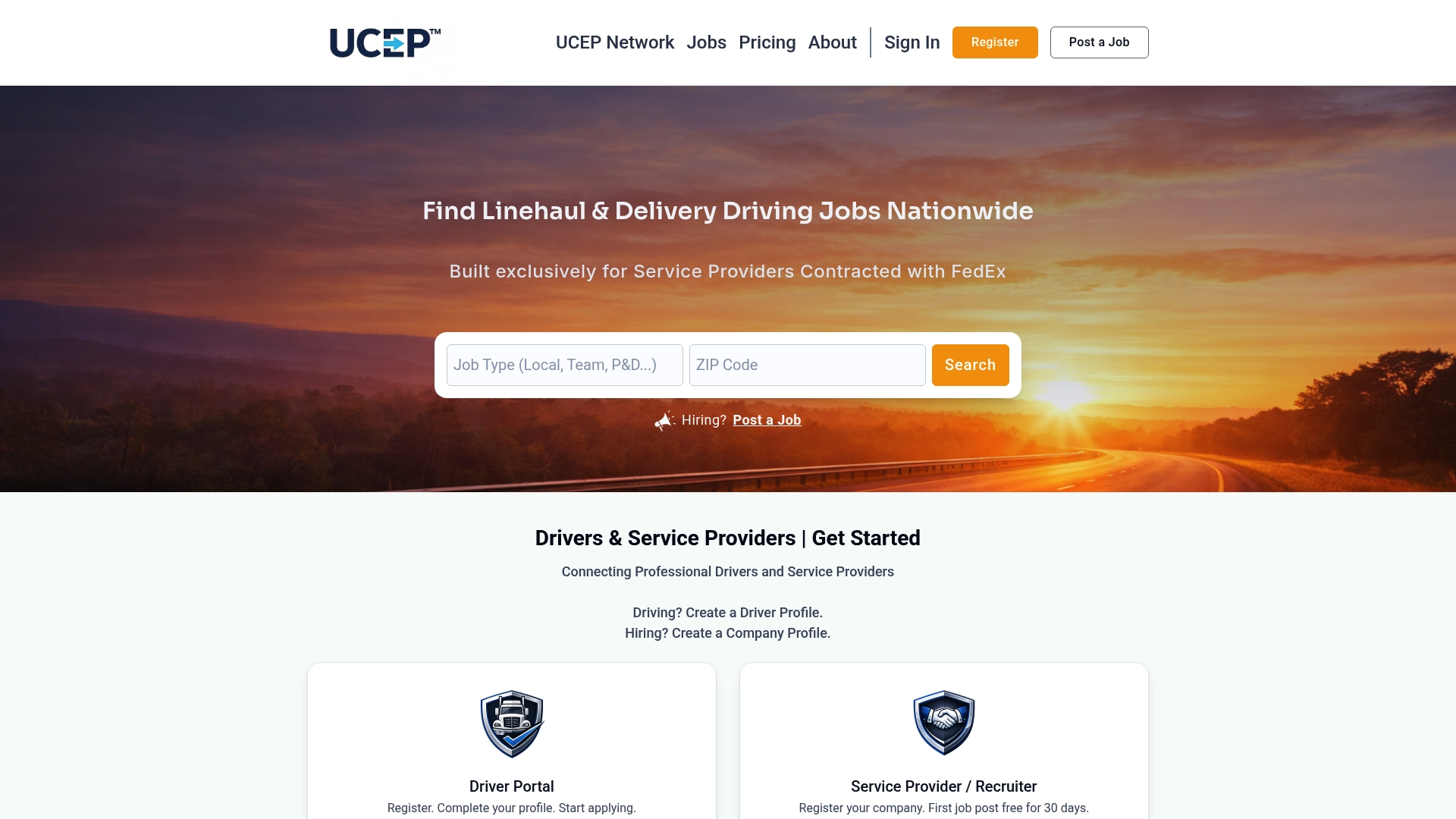
See the plans on the UCEP pricing page, or learn more about the platform at ucep.co. Drivers can browse current openings on the jobs page at no cost.
FAQ
How many job alerts should I create?
Start with two to four: one or two daily alerts for your exact role and area, and one or two weekly alerts for wider or adjacent searches. Sites set their own limits; USAJOBS, for example, allows up to 10 alerts. More alerts mean more email to review, so add one only when it covers something the others do not.
Should I choose daily or weekly alerts?
Choose daily for roles you want soon, especially popular ones where early applicants have an edge. Choose weekly for backup searches and low-volume niches. You can change the setting at any time, so start with daily and move an alert to weekly if it overwhelms you.
What keywords work best for CDL-A team and solo roles?
Use the role words as they appear in listings: "CDL-A," "team" or "solo," and "linehaul." Add the terminal city or region as the location. Create separate alerts for team and solo, since the two roles have different schedules and pay structures.
Why am I getting alerts for jobs I do not want?
Usually the search is too broad. Add the role type, shrink the radius, or split one alert into several narrower ones. If an alert keeps missing, edit it or turn it off and rebuild it.
Sources
- Create a job alert to get new jobs emailed to you, USAJOBS Help Center
- Frequently asked questions, Wells Fargo Careers
- Job Alerts: How to Set Them Up Right, Articuler
- How to Set Up Job Alerts That Actually Match, CreateCV
- When must employers conduct a Clearinghouse query, FMCSA