
Four FMCSA-compliant examples of linehaul driver schedules cover the most common patterns you'll encounter: home-daily regional, regional overnight, multi-day over-the-road (OTR), and team/relay. Every one of them is shaped by the same FMCSA Hours-of-Service ruleset: 11 hours of driving within a 14-hour duty window, a 30-minute rest break after 8 hours of driving, a 34-hour restart, and 60/70-hour weekly limits.
Here is what each type looks like at a glance:
- Home-daily regional: Drive 8–10 hours, return home nightly, typically 400–500 miles per day.
- Regional overnight: 2–4 nights away per week, 500–650 miles per day, predictable home time on weekends.
- Multi-day OTR: 5–7 days out, 500–650+ miles per day, uses the 34-hour restart mid-week.
- Team/relay: Two drivers or a relay swap at a terminal meet point; each driver runs a shorter leg and returns home more frequently.
Search Ucep to find live openings that match each of these patterns, and bookmark the FMCSA HOS examples page for formal compliance reference.
Table of Contents
- Four full example schedules you can copy and adapt
- How FMCSA Hours-of-Service rules shape every linehaul schedule
- How many miles linehaul drivers drive and what changes those ranges
- Practical planning tips for drivers and dispatchers
- Printable weekly schedule templates and how to fill them
- Where to find current linehaul openings and route schedules
- Key Takeaways
- A dispatcher's view on what the templates miss
- Find linehaul openings that match your schedule on Ucep
- Sources and further reading
Four full example schedules you can copy and adapt
The templates below show day-by-day timelines for each schedule type. Use them as a starting point for your ELD setup or dispatch planning. All times are local unless noted.

A. Home-daily regional
| Time | Duty Status | Notes |
|---|---|---|
| 5:00 AM | On duty (pre-trip) | Clock starts; 14-hr window opens |
| 5:30 AM | Driving | Depart terminal |
| 9:30 AM | On duty (30-min break) | Required after 8 hrs driving |
| 10:00 AM | Driving | Resume |
| 1:00 PM | On duty (delivery/dock) | 8 hrs driving used; 8 hrs in window |
| 2:30 PM | Driving (return leg) | — |
| 5:00 PM | Off duty | — |
HOS checkpoints: 11-hr driving limit reached by ~5:00 PM. The 14-hr window closes at 7:00 PM regardless of breaks. Weekly pattern: Monday–Friday, 5 days on, 2 days off.
B. Regional overnight (2–4 nights away)
| Time | Duty Status | Notes |
|---|---|---|
| 8:00 PM | On duty (pre-trip) | Night shift start |
| 8:30 PM | Driving | Depart home terminal |
| — | 30-min break | After 4 hrs driving; satisfies break rule |
| 1:00 AM | Driving | Resume |
| 5:00 AM | On duty (unload) | — |
| 6:00 AM | Off duty / sleeper | 10 consecutive hrs required |
| 4:30 PM | On duty (next day) | New 14-hr window opens |
HOS checkpoints: The 14-hr window opened at 8:00 PM and closes at 10:00 AM. The driver must be off duty before that point. Carrier job postings for this type commonly advertise shifts like Wednesday–Sunday, 4:00 PM–1:00 AM, as seen in FedEx-related linehaul listings.
C. Multi-day OTR with 34-hour restart
| Day | Driving Hours | On-Duty Total | Notes |
|---|---|---|---|
| Day 1 | 10 hrs | 11 hrs | Depart; 30-min break taken |
| Day 2 | 11 hrs | — | Full driving day; 2 hrs left in weekly bank |
| Day 3 | 8 hrs | 10 hrs | Approaching 60-hr weekly limit |
| Day 4–5 | — | — | 34-hr restart (must include two 1–5 AM periods) |
| Day 5 | 10 hrs | 11 hrs | Weekly hours reset; full availability |
HOS checkpoints: The 34-hour restart must include two periods between 1:00 AM and 5:00 AM to be valid. Misusing the restart window is one of the most common causes of 60/70-hour violations.
D. Team/relay schedule
| Segment | Driver A | Driver B |
|---|---|---|
| Leg 1 (—) | — | Sleeper berth |
| Meet point swap | Off duty | Takes over driving |
| Leg 2 (—) | Sleeper berth | — |
| Return leg | Drives back to home terminal | Off duty |
HOS checkpoints: Each driver logs no more than 11 hours driving per day. Time in the sleeper berth counts toward the 10-hour off-duty requirement. Relay operations let carriers keep freight moving end-to-end while each driver runs a shorter leg and returns home more frequently.
Pro Tip: When a delay pushes you past your planned driving window, log the extra on-duty time accurately in your ELD and check your remaining 14-hour window before resuming. If you have a sleeper berth, a valid split (at least 7 hours in the berth paired with at least 2 hours off duty) can extend your available time. Never adjust log entries retroactively to avoid a violation.
How FMCSA Hours-of-Service rules shape every linehaul schedule
Every linehaul schedule you build starts with the same six constraints from the FMCSA Drivers' Guide to Hours of Service: 11 hours of driving, a 14-hour duty window, a 30-minute break, 60/70-hour weekly limits, a 34-hour restart, and sleeper-berth provisions.
Here is what each rule means in practice:
- 11-hour driving limit: You may drive no more than 11 hours after 10 consecutive hours off duty. This is the hard ceiling on daily mileage.
- 14-hour duty window: The clock starts the moment you go on duty. It does not pause for breaks or stops. You cannot drive after 14 consecutive hours on duty, even if you have driving hours left.
- 30-minute rest break: Required before or at the 8-hour mark of driving time. It must be off duty or sleeper berth; on-duty time does not satisfy it.
- 60/70-hour weekly limit: Drivers on a 7-day cycle stop at 60 on-duty hours; an 8-day cycle caps at 70. Both include all on-duty and driving time.
- 34-hour restart: Resets the weekly clock after 34+ consecutive off-duty hours. Must include two 1:00 AM–5:00 AM periods to be valid.
- Sleeper-berth provision: A valid split requires at least 7 hours in the berth and at least 2 hours off duty. Neither period alone satisfies the 10-hour break requirement.
"The 14-hour clock is a consecutive window that starts when a driver goes on duty; it continues to run through breaks, so breaks do not stop the 14-hour window even though they pause driving time." — FMCSA HOS Examples
That nuance catches drivers off guard. In the home-daily example above, a driver who goes on duty at 5:00 AM cannot drive after 7:00 PM no matter how many breaks were taken. In the OTR example, a driver who spends 2 hours at a dock at noon still burns through those 2 hours of the 14-hour window.
The FMCSA HOS logbook examples include 28 completed RODS with violation callouts, covering the 14-hour window, 34-hour restart, and sleeper-berth scenarios. Reviewing them alongside the templates above is the fastest way to spot where your schedule might create a violation.
How many miles linehaul drivers drive and what changes those ranges
Mileage varies significantly by role. Home-daily regional drivers typically cover 400–500 miles per day. Regional overnight drivers run 500–650 miles per day. OTR drivers on dedicated high-mileage lanes can reach 2,500–3,000 miles per week when running full 11-hour days. Team drivers, because two drivers share a truck, can cover significantly more ground per 24-hour period since one drives while the other rests.
Several factors push those numbers up or down:
- Lane density: High-freight corridors (I-80, I-40, I-10) allow consistent mileage; rural or multi-stop lanes reduce it.
- Stop count: Each delivery or pickup stop adds on-duty time without adding driving miles, compressing the effective driving window.
- Freight type: Time-sensitive or temperature-controlled freight often requires tighter scheduling, leaving less flexibility for mileage optimization.
- Relay points: Drivers who swap trailers at terminals run shorter legs, which lowers individual daily mileage but improves home time.
- Peak season surges: During the November–January holiday period and back-to-school season, carriers add runs and extend shift hours. Even home-daily roles commonly require night or weekend work during these periods.
- Driver and dispatch choices: Fuel stop timing, parking availability, and pre-planned routes all affect how many miles a driver realistically covers within the 14-hour window.
For a deeper breakdown of role types and what they mean for daily mileage, the linehaul trucking guide for operators covers home-daily, regional, OTR, and team distinctions in detail.
Practical planning tips for drivers and dispatchers
Three actions deliver the most value before any dispatch: pre-trip planning, building contingency buffers, and disciplined ELD logging. Skipping any one of them is where most HOS violations originate.
Pre-dispatch checklist for drivers:
- Confirm your available hours in the ELD before departure (driving hours remaining, time left in the 14-hour window, weekly total).
- Complete the pre-trip inspection and log it as on-duty time. This starts your 14-hour clock.
- Map fuel stops and parking locations in advance. Truck parking shortages on busy corridors can add 30–60 minutes to a run.
- Estimate drive time against your ELD record. If the route runs 9 hours and your window closes in 10, you have no buffer for traffic or dock delays.
- Confirm break timing. Plan your 30-minute break before the 8-hour driving mark, not after.
For dispatchers:
Build lanes that return drivers to their home terminal within the 14-hour window whenever possible. Relay points are a practical tool here: relay linehaul operations let planners shorten individual driver tours while keeping freight moving continuously. Schedule around peak shipping periods by identifying which lanes will require extended hours in November–January and communicating that to drivers in advance. The seasonal hiring spike guide covers how carriers typically adjust start times and add runs during holiday surges.
Pro Tip: For weather delays or unexpected dock holds, check whether you qualify for the adverse driving conditions exception, which allows up to 2 additional hours of driving time. Log the reason in your ELD remarks field immediately. If the delay will push you past your 14-hour window, use a valid sleeper-berth split rather than driving into a violation.
Printable weekly schedule templates and how to fill them
Use the two grids below to map your daily templates into a full week and verify your 60/70-hour totals before you depart on Day 1.
Template 1: Home-daily / regional overnight (7-day cycle, 60-hour limit)
| Day | On-Duty Start | Driving Hours | On-Duty Total | Cumulative Hours | Notes |
|---|---|---|---|---|---|
| Monday | 5:00 AM | 10 hrs | 11 hrs | 11 hrs | 30-min break at hr 8 |
| Tuesday | 5:00 AM | 10 hrs | 11 hrs | 24 hrs | |
| Wednesday | 5:00 AM | 10 hrs | 11 hrs | 34 hrs | |
| Thursday | 5:00 AM | 10 hrs | 11 hrs | — | |
| Friday | 5:00 AM | 10 hrs | 11 hrs | 60 hrs | Weekly limit reached |
| Saturday | Off | — | — | 60 hrs | | | Sunday | Off | — | — | 60 hrs | Reset for next week |
Template 2: OTR / team (8-day cycle, 70-hour limit with 34-hour restart)
| Day | On-Duty Start | Driving Hours | On-Duty Total | Cumulative Hours | Notes |
|---|---|---|---|---|---|
| Day 1 | 7:00 PM | 10 hrs | 11 hrs | 11 hrs | Night departure |
| Day 2 | 7:00 PM | 11 hrs | — | — | Full driving day |
| Day 3 | 7:00 PM | 11 hrs | — | — | |
| Day 4 | 7:00 PM | 11 hrs | — | — | |
| Day 5 | Off (34-hr restart) | — | — | — | Must include two 1–5 AM periods |
| Day 7 | 7:00 PM | 11 hrs | — | — | Weekly hours reset after restart | | Day 8 | 7:00 PM | — | 8 hrs | 70 hrs | Approaching weekly limit |
How to fill the grid and check your weekly totals:
- Enter your actual on-duty start time for each day. The 14-hour window closes exactly 14 hours after that entry.
- Log driving hours separately from on-duty hours. Add both to the cumulative column after each day.
- When your cumulative total approaches 60 (7-day cycle) or 70 (8-day cycle), plan your 34-hour restart before you exceed the limit.
To make an ELD-friendly copy, replicate the column headers in your carrier's ELD software or export the grid as a PDF and print it as a reference sheet alongside your electronic log.
Where to find current linehaul openings and route schedules
Search Ucep for terminals and routes that publish home-daily or relay schedules, and use the FMCSA HOS pages for formal rule clarifications.
Ucep is a job board and recruiting platform built exclusively for Service Providers contracted with FedEx. It lists CDL-A solo, CDL-A team, linehaul, and pickup and delivery roles nationwide, with terminal directories and employer profiles that show schedule details before you apply.
What Ucep offers drivers:
- Filtered job search by role type (home-daily, OTR, team), region, and terminal.
- Employer and terminal directories so you can research schedule patterns and home-time commitments before applying.
- Driver alerts for new openings that match your preferred schedule type.
- Internal reviews from drivers and service providers to help you evaluate carriers.
Steps to find a schedule-matched opening on Ucep:
- Go to ucep.co and select your preferred role type (linehaul, CDL-A solo, or CDL-A team).
- Filter by region or terminal to narrow results to routes near your home base.
- Review the employer profile and any posted schedule details (shift hours, days worked, home-time frequency).
- Use the terminal directory to confirm which facilities serve your preferred lanes.
Pro Tip: When reviewing a job posting, look for explicit shift times and days worked (for example, "Wednesday–Sunday, 4:00 PM–1:00 AM"). Postings that list specific hours give you the clearest picture of whether the schedule fits your HOS plan before you apply.
Key Takeaways
FMCSA's 14-hour duty window is the single constraint that shapes every linehaul schedule, because it runs continuously from the moment you go on duty and cannot be paused by breaks.
| Point | Details |
|---|---|
| Four core schedule types | Home-daily, regional overnight, OTR multi-day, and team/relay each fit different home-time and mileage needs. |
| 14-hour window is continuous | Breaks do not pause the 14-hour clock; plan your entire day around when it opens, not just driving hours. |
| 34-hour restart requires two 1–5 AM periods | A restart that skips those overnight windows is invalid and can trigger a 60/70-hour violation. |
| Build contingency time | Add 45–60 minutes to every run for fuel stops, parking, and dock delays before they eat into your driving window. |
| Ucep for schedule-matched jobs | Search Ucep's terminal directories and filtered listings to find FedEx-related linehaul openings that match your preferred shift pattern. |
A dispatcher's view on what the templates miss
The four templates in this article are accurate and useful. What they cannot show is how quickly a real week diverges from the plan, and that gap is where most drivers get into trouble.
A regional overnight driver running a Wednesday–Sunday pattern will follow the template cleanly for the first two days. Then a dock hold on Thursday adds 90 minutes of on-duty time that was not in the plan. The 14-hour window still closes at the same time. The driver now has fewer driving hours available for the return leg, and if parking was not pre-planned, the search for a legal stopping point burns another 30 minutes.
The templates do not fail in those moments. The planning does. Drivers who treat the template as a ceiling rather than a target, and who build in a 45–60 minute buffer for fuel and parking on every run, absorb those delays without a violation. Dispatchers who design lanes with relay points rather than end-to-end runs give drivers a structural safety valve: if one leg runs long, the relay swap absorbs it rather than the driver's log.
The other thing the templates cannot replicate is the seasonal shift. A home-daily role that runs Monday–Friday in September may require Saturday runs and extended hours by November. Planning for that in advance, rather than reacting to it, is what separates drivers who maintain consistent home time from those who lose it every peak season.
Find linehaul openings that match your schedule on Ucep
Ucep is the dedicated job board for Service Providers contracted with FedEx, and it is the fastest way to find linehaul openings that match the schedule types covered in this article.
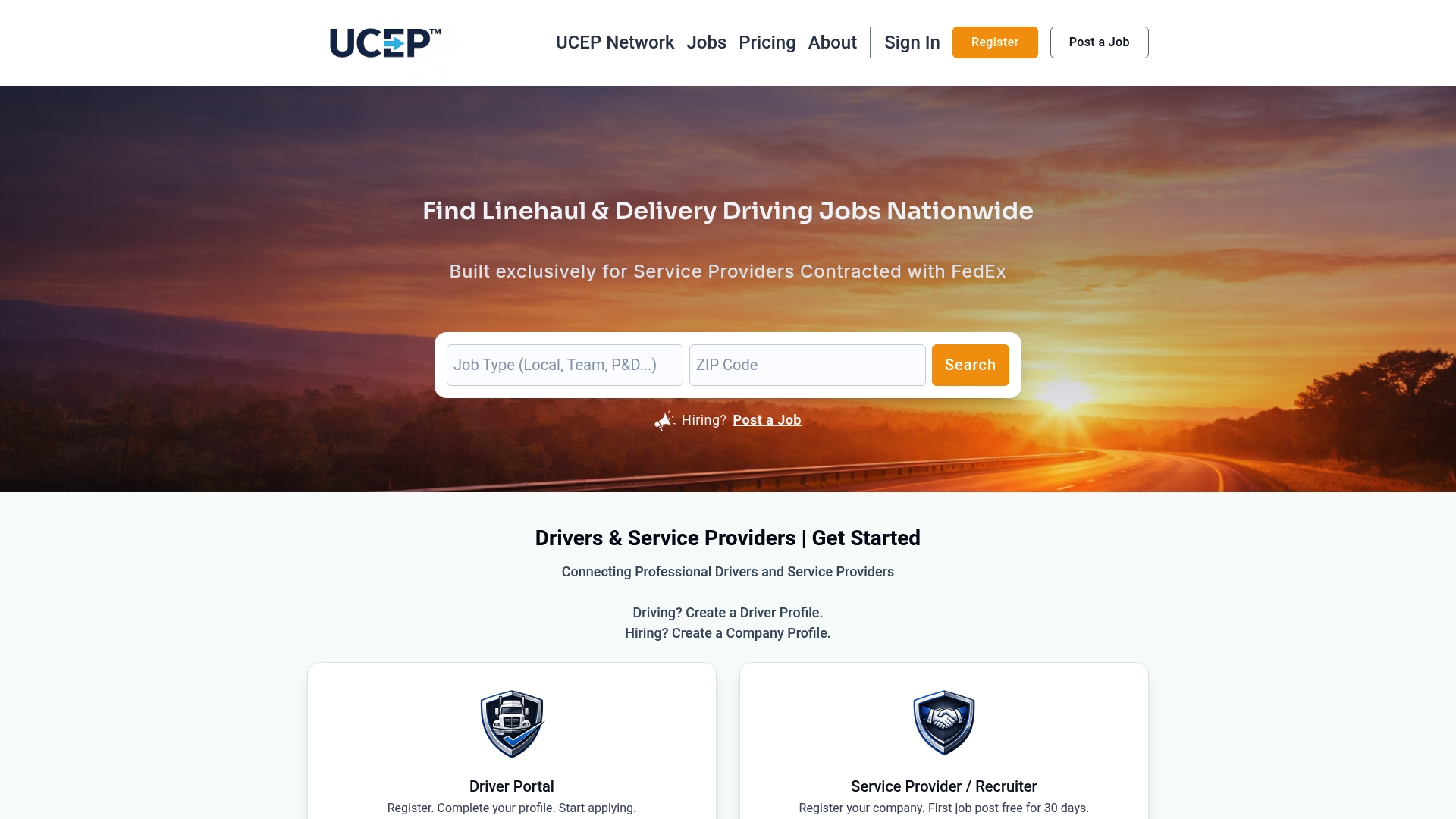
Whether you are looking for a home-daily regional run or a team OTR lane with predictable restart windows, Ucep's filtered search and terminal directories let you match your preferred shift pattern before you apply.
- Filter by schedule type and region: Search CDL-A solo, CDL-A team, or linehaul roles by terminal location and shift hours.
- Research carriers before applying: Employer profiles and driver reviews show home-time commitments and schedule reliability.
Visit ucep.co to search current openings and set up alerts for new listings that match your preferred route and schedule.
Sources and further reading
The sources below were used to build the templates and HOS guidance in this article. FMCSA sources are primary legal guidance; the others are practical references and job-search tools.
- Hours of Service Examples | FMCSA — Primary source. Thirty-plus RODS examples with violation callouts covering the 14-hour window, 34-hour restart, and sleeper-berth scenarios. Use this to verify any template against official compliance standards.
- Drivers' Guide to Hours of Service (FMCSA) — Primary source. Explains the 60/70-hour limits, short-haul exceptions, and the 16-hour exception in plain language. Download and keep it with your ELD reference materials.
- Hours-of-Service Logbook Examples (FMCSA) — Primary source. Twenty-eight completed logbook examples including 34-hour restart and sleeper-berth scenarios with violation explanations.
- Linehaul Trucking Explained: A 2026 Guide for Operators — Practical guide. Role definitions, mileage ranges, and operational differences between home-daily, regional, OTR, and team linehaul.
- How Relay Linehaul Works for Drivers: 2026 Guide — Practical guide. Explains relay mechanics, meet-point scheduling, and how relay operations preserve driver home time.
- Why Seasonal Hiring Spikes in Trucking: 2026 Guide — Practical guide. Covers peak-season schedule changes and how carriers adjust start times and add runs during holiday periods.
- Team Driver Schedule Tool — LogicBalls — Practical reference. Explains relay sequencing and how meet points enable shorter individual driver tours.
- Ucep Job Search — ucep.co — Job board. Search FedEx-related linehaul openings by role type, region, and terminal; includes employer directories and driver alerts.