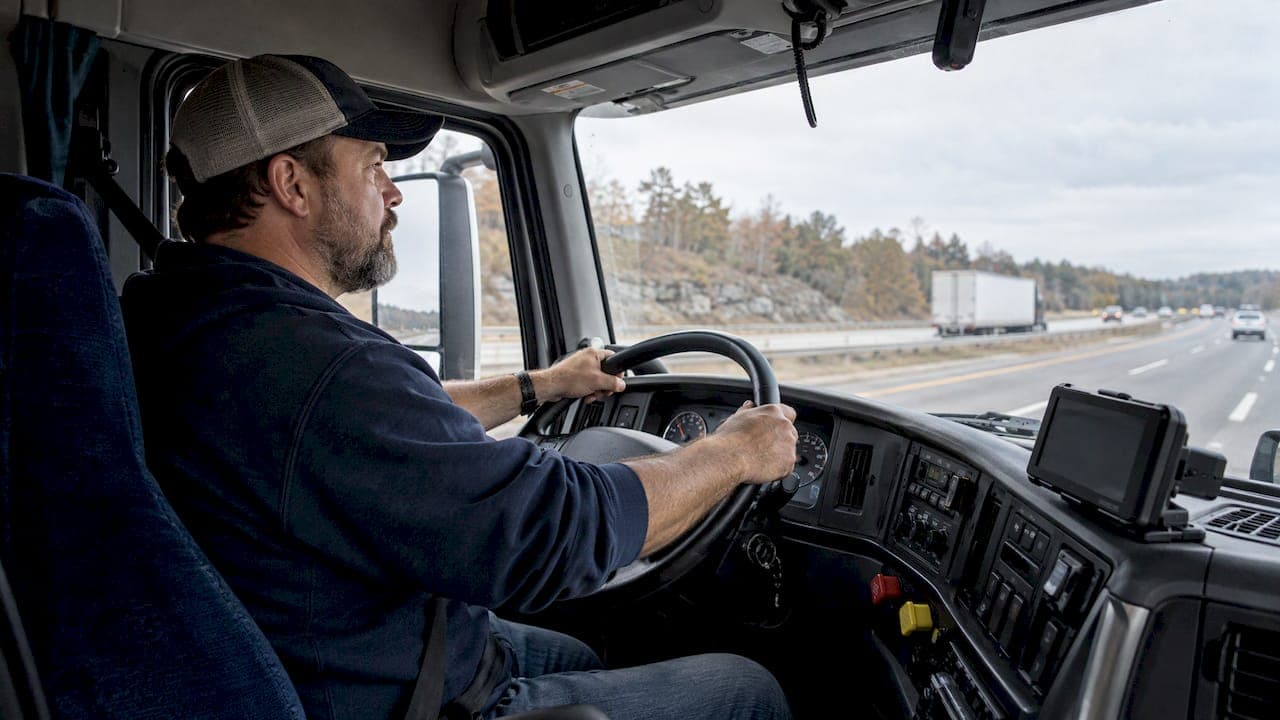
Driver status automation means your systems update a driver's status (driving, on duty, off duty, at pickup, in transit, delivered) from vehicle and location data instead of phone calls and manual entries. In U.S. trucking it is built on three parts: an electronic logging device (ELD), a transport management system (TMS) and a driver app. Together they keep the dispatch board current and cut the number of check-in calls.
This guide covers what the automation tracks, how a status change travels from the truck to the dispatcher, what FMCSA rules apply, where it goes wrong, and how to set it up. It is written for Service Providers that run FedEx linehaul and pickup and delivery routes, and for the drivers who work them.
TL;DR
- Driver status automation uses ELD and telematics data, connected to a TMS, to update driver location, hours-of-service (HOS) availability and load status without manual entry.
- Under FMCSA rules, an ELD records driving time automatically when the vehicle is in motion. Duty status changes are tied to a driver and a vehicle.
- The main risks are stale location data, poor device setup and disconnected tools. Check them before you roll the system out.
- Carriers must keep HOS records and a backup copy for six months, and driver edits must be confirmed by the driver.
- Automation is not the same as automated driving. It updates records and alerts. It does not drive the truck.
Table of Contents
- What driver status automation covers
- How a status change travels from truck to dispatch board
- What you need to automate driver status
- Benefits for Service Providers and drivers
- Risks and how to manage them
- Compliance checklist for U.S. operations
- How to roll it out in five steps
- Driver status automation is not automated driving
- Perspective
- Find FedEx-experienced drivers for your routes
- FAQ
- Sources
What driver status automation covers
A driver status is a label attached to a driver at a point in time. In trucking there are two families of status, and they are easy to confuse.
Duty status is the regulatory one: off duty, sleeper berth, driving and on duty not driving. It determines how many hours a driver has left.
Operational status is what dispatch uses: available, assigned, en route to pickup, at the dock, loaded, in transit, delivered. It determines what happens to the load.

Automation can touch both. According to one TMS vendor's overview, integrated ELD and TMS platforms automatically update the dispatch board with driver location, HOS availability and load status. The same source describes live ETAs and automated emails at each load stage as part of that flow.
What it does not do is replace judgment. A dispatcher still decides who gets which load. Automation only keeps the facts under that decision fresh.
Statuses most fleets automate first
| Status or event | Typical trigger | What updates |
|---|---|---|
| Driving | Vehicle motion from the ELD | Duty status, HOS clock |
| On duty, not driving | Stop with no response to a prompt | Duty status |
| Arrived at pickup or delivery | Geofence entry | Load status, check-in time |
| Departed | Geofence exit or driver report | Load status, ETA |
| Running late | ETA variance | Alert to dispatch or customer |
| Hours running low | HOS clock threshold | Reminder to driver and dispatch |
How a status change travels from truck to dispatch board
The path is the same in most systems, whatever the brand.
- A trigger happens. The vehicle moves, the engine starts, the truck enters a geofence, or the driver taps a button.
- The ELD or driver app records it. Under the federal rule, an ELD event is triggered by driver input or by the device's own monitoring, and it records the data fields the rule specifies, per Appendix A to Subpart B of Part 395.
- The data syncs to the TMS. Geofence and engine events can flow from the ELD to the TMS, where load status updates and broker communications can occur without dispatcher action.
- Rules decide what happens next. A status change can update the board, send a customer notice or raise an alert.
- Exceptions go to a person. Event-driven systems can hand off to a human when there is a large ETA variance or a facility access problem, according to one driver communication vendor.
Example: automatic Driving status
The automatic switch to Driving is the best-documented case. FMCSA requires an ELD to record driving time automatically when the vehicle is in motion. The two exceptions are when the driver sets off duty with personal use of the vehicle before moving, or sets on duty not driving with yard moves.
Individual devices implement the details in their own way. One registered ELD's in-cab driver guide says it switches to Driving when speed exceeds 5 mph. After five minutes without motion it prompts the driver, and if there is no response within 60 seconds it switches to On Duty. Your own device may use different thresholds, so read its guide and train drivers on it.

Example: geofence check-in
A geofence is a virtual boundary around a terminal, customer site or delivery zone. When the truck crosses it, the system logs an arrival. One delivery platform's documentation describes a driver app that checks in on arrival using a geofence and checks out when the driver reports departure. It also notes that availability depends on an active shift, a network connection and a location update within the last five minutes. Those three conditions are a good model for any setup: if one is missing, the status you see may be wrong.
What you need to automate driver status
The building blocks are modest. The integration between them is where projects succeed or fail.
- A certified ELD. ELDs must be certified and registered with FMCSA. Check the device against FMCSA's registered list before you buy.
- A TMS or dispatch tool that accepts ELD data. In practice you map each truck and driver in the TMS to the matching ELD record. One TMS help article describes this mapping as what brings truck location, HOS clocks and, when reported, fuel level into dispatch, reflecting the latest values the ELD device reports.
- A driver app. It carries load assignments and status changes back to the driver's workflow.
- Clean master data. Correct driver IDs, unit numbers and facility addresses. Geofences drawn around the wrong address create false events.
A useful test when you evaluate vendors comes from one TMS comparison: a GPS-only feed is just a map. A good integration also carries HOS, DVIR and driver status, and reflects load assignments and status changes in the driver's workflow.
If you run both linehaul and pickup and delivery, expect different configurations. Linehaul runs depend on terminal geofences and HOS clocks. Pickup and delivery routes depend on stop-level events and customer notices. Our guide to linehaul driver schedule examples shows how run structure shapes the statuses you will actually need.
Benefits for Service Providers and drivers
For dispatchers and operations managers
- Fewer check-in calls. Integrating ELD data into a TMS lets dispatchers see actual HOS availability and truck location, which reduces the need for manual driver check-ins, according to the TMS overview.
- A shift in the dispatcher's job. When the ELD, TMS and driver apps connect properly, the work moves from chasing status updates to managing exceptions, as that vendor puts it.
- Consistent communication. Event-driven messaging tied to specific triggers standardizes how drivers are contacted across channels and reduces manual effort.
For drivers
- Remaining work time is visible. A U.S. DOT summary of telematics benefits lists helping drivers see remaining work time and coordinate with dispatch, alongside better equipment utilization, routing, safety monitoring and maintenance alerts.
- Reminders. One registered ELD's documentation describes reminders about remaining break, cycle or on-duty time to drivers and dispatch centers when the alert feature is enabled.
- Fewer interruptions. Fewer "where are you?" calls means fewer distractions on the road.
These benefits also support retention. Drivers tend to stay where the tools work and dispatch communication is predictable. See our piece on driver retention mistakes fleet managers must fix.
Risks and how to manage them
Stale or inaccurate data
Automation is only as good as its latest update. The TMS overview notes that ELD-TMS integration can refresh the board using truck-location data every 30 minutes. The same source warns that stale location data can make dispatch decisions worse. Ask any vendor how often each data type refreshes, and show the "last updated" time on your board.
Poor setup and noisy alerts
An industry software review notes that poor device setup and inconsistent data capture can undermine event accuracy and produce noisy alerts. It also says multi-entity role and workflow configuration needs care. If you run several Service Provider entities or terminals, define who can see and change which statuses before go-live.
Disconnected tools
When the ELD, TMS and driver app do not share data, someone retypes it. Manual handoffs are where errors enter. Map every tool to one source of truth for each status.
Driver privacy and harassment
Location and status data is sensitive. The ELD rule prohibits driver harassment based on ELD data and connected technology and gives drivers a way to seek recourse. Write a short policy on what data you use, who sees it and how it is used in performance conversations. Share it with drivers before the system goes live.
Auditability is a strength
Every ELD event ties to a responsible driver and vehicle and preserves time, location, mileage and engine-hour context, per the required event fields. That makes automated status history easier to defend in an audit than handwritten notes.
Compliance checklist for U.S. operations
Use this before you switch anything on.
- Confirm the ELD is registered. Only a certified, FMCSA-registered device counts.
- Set retention. Motor carriers must retain drivers' records of duty status and supporting documents for six months. They must also keep a backup copy of ELD records on a separate device for six months, in a way that protects driver privacy. FMCSA states this in its retention guidance.
- Respect the edit rules. Carriers may propose edits to a driver's ELD record, but a change requested by a non-driver system must be electronically confirmed or rejected by the driver. Do not let your TMS overwrite duty status on its own.
- Keep operational and duty status separate. A TMS can change a load from "in transit" to "delivered". It should not change a driver from Driving to On Duty.
- Define roles and permissions. Decide who can view, propose and approve changes.
- Train drivers on exceptions. Personal use, yard moves and prompts that need a response.
- Verify new hires. Automation does not replace eligibility checks. If you are hiring, read E-Verify for trucking companies and the DOT medical exam requirements.
FMCSA rules and guidance get updated. Check the agency's ELD pages for current requirements before you finalize your setup.
How to roll it out in five steps
- List the statuses you use today. Write down every status dispatch asks drivers to report by phone or text.
- Pick the triggers. Match each status to one event: motion, geofence, button or time threshold.
- Draw and test geofences. Drive the route. Check entry and exit at each terminal, dock and customer site.
- Pilot with a small group. Run one route type for two to four weeks. Compare automated statuses with what drivers report.
- Set exception rules. Decide which events alert a person and who responds.
Automation also speeds up what comes before the first dispatch: getting drivers hired and on the road. Our guides on time to hire and recruiter workflows apply the same idea of removing manual handoffs to recruiting.
Driver status automation is not automated driving
The two terms look alike in search results, and that is why many pages ranking for this phrase are about something else. Automated driving describes systems that control the vehicle. NHTSA's levels of automation chart runs from Level 0, where the driver is fully responsible and the system gives momentary warnings, to higher levels where the system handles all aspects of driving. At Levels 1 and 2 the driver still drives and monitors.
Driver status automation sits outside that scale. It does not steer, brake or accelerate. It records what the driver and truck are doing and passes it to the people who need it. Your drivers stay fully responsible for driving and for their logs.
Perspective
We work with Service Providers who run FedEx linehaul and pickup and delivery routes, and the pattern is consistent. Status data is only useful when the person acting on it trusts it. A dispatch board that is half automated and half manual is harder to read than one that is fully manual.
Our view is that automation should start with the questions dispatch asks most often: where is the driver, how many hours are left, and is the stop done. Automate those first, keep drivers in control of their own duty status, and tell drivers plainly what data you collect.
The same applies to hiring. A driver who is new to your operation needs a clear first week, a working app and a dispatcher who is not chasing updates. UCEP is built so Service Providers can reach FedEx-experienced drivers in one focused place, and then spend their time on the exceptions that matter.
Aaron
Find FedEx-experienced drivers for your routes
Once your dispatch tools are set up, you need drivers who already know the FedEx environment. UCEP is a job board built only for FedEx-contracted Service Providers. You can post CDL-A team, CDL-A solo, linehaul and pickup and delivery roles, and drivers can browse them in one place.
New recruiters can start with a complimentary trial listing. The Standard Monthly Plan is $99 per month. See the details on the UCEP pricing page. If you are a driver, you can browse FedEx driver jobs by role.
FAQ
What is driver status automation?
It is the automatic updating of a driver's duty status, location, HOS availability and load status from ELD, telematics and TMS data. It reduces manual check-ins and keeps the dispatch board current. Drivers still operate the vehicle and stay responsible for their logs.
Does an ELD change duty status automatically?
Yes, for driving time. FMCSA requires an ELD to record driving automatically when the vehicle is in motion, with limited exceptions for personal use and yard moves that the driver sets before moving. Other changes, such as on duty not driving, usually need driver input or a prompt response.
Can a dispatcher edit a driver's status in the TMS?
A carrier may propose edits to a driver's ELD record. FMCSA guidance says a change requested by a non-driver system must be electronically confirmed or rejected by the driver. Keep load status and duty status separate so your TMS never overwrites a log.
How accurate is automated status tracking?
It depends on device setup, network coverage and refresh rates. Stale location data can lead to worse dispatch decisions, and some integrations refresh on a schedule such as every 30 minutes. Test geofences on real routes and display the last update time on your board.
Is driver status automation the same as self-driving technology?
No. Automated driving systems control parts of the driving task, as described in NHTSA's levels of automation. Status automation only records and shares information about the driver, the vehicle and the load.
Sources
- How Transport Management Systems Work
- How ELD Integration Connects Your Fleet Data to Dispatch
- eCFR, Appendix A to Subpart B of Part 395, Title 49
- Instinct ELD In-Cab Driver Guide, FMCSA
- Driver Location, Bringg developer documentation
- Event-Driven Driver Communication
- ELD Rider ELD / Telematics Integration, Help Center
- Best TMS with Samsara Integration
- Telematics technology provides many benefits to trucking, U.S. DOT
- ELD documentation on alerts and reminders, FMCSA registry
- Best Truck Dispatch Software
- General Information about the ELD Rule, FMCSA
- ELD record retention, FMCSA
- Carrier edits to a driver's record of duty status, FMCSA
- Levels of Automation, NHTSA