
Use a parallelized, AI-assisted 7-day workflow that runs compliance checks alongside candidate engagement to compress qualified driver hires to roughly one to two work weeks. The three enablers are mobile conversational apply, agentic AI triage that pre-queues candidates for recruiters, and simultaneous background and clearance checks rather than sequential ones. Fleet recruiters who adopt this structure, the kind UCEP builds job listings and applicant tracking around, cut weeks of dead time out of the funnel without skipping any FMCSA requirement.
TL;DR:
- Running verification steps in parallel, such as FMCSA Clearinghouse checks and MVR requests, can reduce driver hiring time from three weeks to approximately six days.
- Automating scheduling and pre-screening through mobile forms and SMS confirmations minimizes drop-off points and maintains candidate engagement during the process.
- Ensuring all pre-hire regulatory steps like drug testing, medical certification, and safety history are completed before drivers start working is essential for compliance and safety.
- AI assists in triaging applicants and automating document ingestion but must be governed with explicit consent and audit trails, always leaving final decisions to human recruiters.
- A fully integrated applicant tracking system and CRM that share data across all workflow stages are critical to maintaining speed, accuracy, and compliance in fast-track trucking recruitment.
Table of Contents
- How Do You Structure Fast-Track Recruiter Workflows in Trucking?
- What Must Happen Before a Driver Gets Behind the Wheel?
- Where Does AI Actually Speed Up Trucking Recruitment?
- What Should You Require From Recruiting Tools and Templates?
- How Do You Know If the New Workflow Is Working?
- How UCEP Fits Into a FedEx Service Provider's Hiring Process
- Where Should Your ATS and CRM Sit in This Workflow?
- What Actually Determines Whether This Workflow Sticks
- Run This Workflow Without Building It From Scratch
- Sources
How Do You Structure Fast-Track Recruiter Workflows in Trucking?
Trucking recruitment has traditionally moved in a straight line: post the job, wait for applications, screen them one at a time, schedule interviews, run background checks, then start the paperwork. That sequence is exactly why time-to-hire for CDL drivers stretches past two or three weeks at most fleets. The fix isn't working faster at each step. It's running steps that don't depend on each other at the same time.
A fast-track recruiter workflow has seven stages: attract, apply, pre-screen, interview and schedule, conditional offer, verification, and onboarding. The trick is that verification, in particular, doesn't have to wait until the interview is done. Once a candidate consents, you can kick off the FMCSA Clearinghouse query, MVR pulls, and drug test scheduling the same day you extend a conditional offer, sometimes within hours of the first phone screen. That's the single biggest structural change separating a 21-day hire from a 7-day one.
A sample 7-day schedule with owners assigned
- Day 1: Application comes in through a mobile-first form. Recruiter reviews within two hours and sends an SMS confirmation with a scheduling link. (Owner: recruiter)
- Day 1 to 2: Five-question pre-screen call or automated conversational apply flow confirms CDL class, endorsements, home time expectations, and disqualifying history. (Owner: recruiter or AI triage agent)
- Day 2: Conditional offer issued pending verification, with an e-signature packet sent immediately. (Owner: recruiter)
- Day 2 to 3: Clearinghouse full query, MVR requests, and prior-employer safety performance history requests all launch in parallel. (Owner: safety/compliance)
- Day 3 to 5: Pre-scheduled DOT drug test slot and DOT physical appointment, booked ahead of time rather than after the offer. (Owner: safety/compliance, with dispatcher coordinating start date)
- Day 5 to 6: Road test or certificate verification, plus final review of the driver qualification file. (Owner: safety/compliance)
- Day 6 to 7: Onboarding paperwork, orientation scheduling, and equipment assignment. (Owner: dispatcher/recruiter handoff)
That 6 to 7 day model isn't theoretical. A documented case study from a small fleet applying this exact structure showed a drop from 21 days to roughly 6, driven almost entirely by parallelizing verification instead of stacking it after the interview.
Here are three templates worth building into your process now:
- Five-question pre-screen: CDL class and endorsements? Home time and lane preference? Any accidents or violations in the past three years? Availability to start? Preferred contact method for scheduling?
- Confirmation text: "Thanks for applying to [role]. Reply YES to confirm your phone screen for [date/time], or click here to pick another slot."
- Scheduling link message: "Pick a time that works for a 15-minute call: [link]. We'll cover pay, home time, and next steps."
- Conditional-offer checklist: signed application on file, Clearinghouse consent signed, MVR request submitted, drug test slot booked, DOT physical scheduled.
Recruiter-to-safety handoffs need a hard SLA, not a loose understanding. A 2-hour response window for scheduling requests and a same-day handoff to safety for verification once an offer goes out keeps candidates from going cold. Drop-off between application and first contact is where most fleets lose drivers to a competing offer, and it's entirely preventable with automated SMS confirmations and pre-scheduled drug test slots that don't require a second round of back-and-forth.
Pro Tip: Book the DOT physical and drug test slot before the conditional offer goes out, not after. Reserve a rolling block of appointments with a local clinic each week so a driver never waits more than a day for either.
What Must Happen Before a Driver Gets Behind the Wheel?
Every fast-track workflow still has to clear the same regulatory floor. 49 CFR Part 391 governs qualification of drivers, and skipping or rushing any piece of it isn't a shortcut, it's a liability. The mandatory pre-hire steps are:
- Signed employment application covering the required 3-year (or longer, per FMCSA rules) employment history
- CDL verification through the driver's licensing state
- Motor Vehicle Records (MVRs) pulled from every state where the driver held a license in the past three years
- FMCSA Clearinghouse full query, with signed driver consent
- Pre-employment DOT drug test
- Valid DOT medical card from a certified examiner
- Safety performance history requests to prior DOT-regulated employers
- Road test or acceptable equivalent certificate
- Entry-level driver training (ELDT) verification, where applicable
Some of these can run side by side. Clearinghouse queries, MVR pulls, and safety performance history requests can launch the same day, since none depends on the others finishing first. The drug test and DOT physical are consistently the slowest links, often because clinic scheduling adds a day or two that has nothing to do with your process and everything to do with local appointment availability. Prior-employer responses to safety performance history requests are the other common holdup: employers have 30 days to respond, though most respond faster if you follow up by phone rather than waiting on email.
Cost snapshot: A Clearinghouse full query runs about $1.25 per driver and is non-optional before a hire. Total pre-hire screening costs, including MVRs, drug testing, and physical exams, typically land in the low hundreds of dollars per candidate depending on your state and clinic network.
Nothing on this list is skippable, but sequencing matters. A driver cannot operate a commercial motor vehicle for you until the drug test, medical card, Clearinghouse query, and MVRs are all complete and clean. Road tests and ELDT verification can sometimes overlap with final onboarding paperwork, but the core safety items are the finish line, not a formality.
Your copyable "must-complete-before-driving" list for the DQ file:
- Signed application with complete 3-year history
- Valid CDL confirmed with correct class and endorsements
- MVRs from all licensing states, past 3 years
- Clearinghouse full query result, clean
- Negative pre-employment drug test result
- Current DOT medical certificate
- Safety performance history responses on file (or documented follow-up attempts)
- Road test certificate or equivalent
Where Does AI Actually Speed Up Trucking Recruitment?
Agentic AI is doing real work in trucking recruiting right now, not as a gimmick but as a way to pre-queue qualified candidates so recruiters spend their time closing, not chasing. Carriers presenting at the 2026 Recruitment & Retention Conference described AI agents handling initial candidate outreach and scheduling automatically, with private fleets like Tyson Foods reporting a meaningful drop in recruiter workload after adoption. The AI doesn't make the hiring decision. It clears the noise so a human can make that decision faster.

The three places AI saves the most time are initial triage (sorting applicants by qualification before a recruiter ever sees them), scheduling (booking phone screens and interviews without email back-and-forth), and document ingestion through OCR (pulling CDL numbers, endorsements, and expiration dates straight off a scanned license instead of manual entry).
None of that works without governance. Before rolling out any AI tool, put these in place:
- Explicit consent flows for any automated background or Clearinghouse-related communication
- Vendor due diligence on data handling and retention policies
- Data minimization, meaning the AI tool only touches what it needs for triage or scheduling
- Audit trails logging every automated action taken on a candidate's file
Pro Tip: Pilot AI triage on a single lane or terminal first. Measure contact rate and time-to-offer for 30 days, keep a manual rollback option ready, and only expand once a human reviewer has confirmed the AI's shortlist quality matches or beats your current process.
Keep final hiring authority with recruiters and safety staff. AI is a filter and a scheduler, not a decision-maker, and every fleet that has scaled this successfully has kept a human signing off on the last mile.
What Should You Require From Recruiting Tools and Templates?
Not every recruiting platform earns a place in a fast-track workflow. Match the tool to the stage, and don't settle for less than these capabilities:
- Mobile apply: a form that completes on a phone in under three minutes
- SMS/chat: two-way texting for confirmations and reminders, not just outbound blasts
- Scheduling: self-service booking links tied to recruiter and safety calendars
- Clearinghouse integration: direct query submission without re-entering driver data
- OCR/document capture: automatic extraction of CDL and medical card data, similar to the document scanning approaches some fleet software vendors now build in
- DQ file management: expiration tracking and audit-ready dashboards
Before signing with any vendor, check these five items:
- SLA guarantees on uptime and support response time
- Open APIs for integration with your existing systems
- Documented compliance features tied to FMCSA requirements
- Reporting that surfaces time-to-hire and drop-off by stage
- Data security certifications and breach notification terms
Map each tool to a stage: mobile apply and SMS handle attract/apply, scheduling covers interview, Clearinghouse integration and OCR carry verification, and DQ file dashboards own onboarding through the life of employment.
How Do You Know If the New Workflow Is Working?
Track a short list of numbers, not a dashboard full of vanity metrics. The ones that actually tell you whether the fast-track workflow is paying off:
- Time-to-hire: days from application to start date
- Contact rate: percentage of applicants reached within 2 hours
- Application completion rate: percentage who finish the mobile form once started
- Conditional-offer-to-hire conversion: how many offers actually convert
- 30/90-day retention: drivers still active at those marks
- Cost-per-hire: total recruiting and screening spend divided by hires
Set an escalation threshold. If drug test turnaround exceeds 48 hours on a given candidate, that should trigger an automatic flag to a supervisor, not sit quietly in a queue. Review these numbers weekly for the first month of any new workflow, then monthly once it stabilizes. Retention numbers matter most here: mismatched expectations about home time and lanes are a leading cause of early separation, so a workflow that improves speed but ignores expectation-setting in the pre-screen will just shift the turnover problem downstream.
How UCEP Fits Into a FedEx Service Provider's Hiring Process
UCEP is built specifically for FedEx Service Providers hiring CDL-A team, CDL-A solo, linehaul, and pickup and delivery drivers, with an applicant tracking system, terminal directories, and driver and service provider reviews built into one place. That focus matters: a job board built for the entire trucking industry doesn't give you terminal-level context or FedEx-specific applicant filters the way a purpose-built platform does.

For Service Providers, three tactics tied to this workflow work well: post job listings that reference specific terminal locations, use terminal directories to research pay and home time expectations before writing ad copy, and screen for red flags using documented red-flag patterns before scheduling a first call.
Where Should Your ATS and CRM Sit in This Workflow?
A fast-track workflow only holds together if your applicant tracking system and CRM talk to each other, and to the tools handling scheduling, Clearinghouse queries, and document capture. The failure mode most fleets hit is running three separate systems that don't sync: an ATS for applications, a spreadsheet for compliance tracking, and a text messaging app for candidate outreach. Every manual transfer between those systems is a place where a candidate goes cold or a document gets missed.
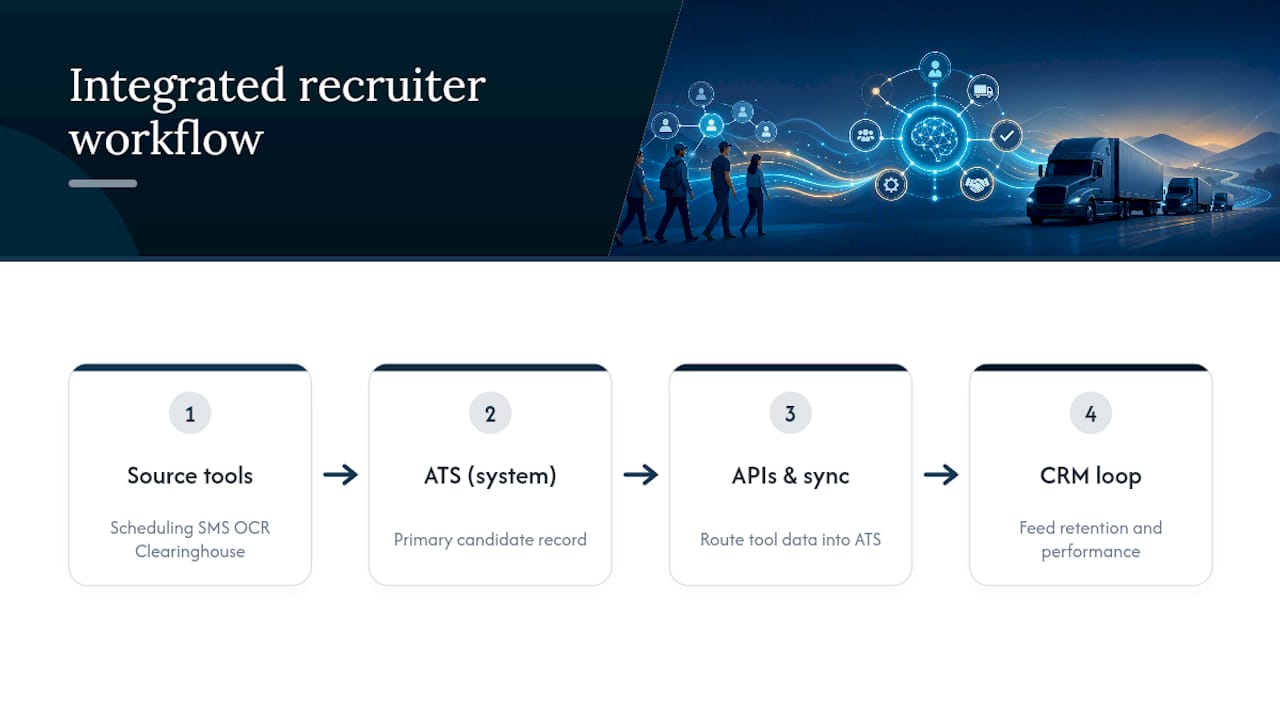
The fix is picking one system of record for the candidate's file and feeding every other tool into it, rather than the reverse. If your ATS supports API integrations, route SMS confirmations, scheduling links, and OCR-captured document data directly into that candidate's record instead of storing them in a separate tool. Your recruiting platform requirements should include open APIs for exactly this reason: a platform that can't pass data to your existing ATS or CRM forces your team back into manual re-entry, which is the opposite of what a fast-track workflow is trying to solve.
CRM data matters just as much post-hire. Feeding retention and performance data back into the same candidate record, rather than starting a new file for onboarding, gives recruiters a full view of which sourcing channels and pre-screen questions actually predict a driver who stays past 90 days.
What Actually Determines Whether This Workflow Sticks
Most advice on trucking recruitment treats speed and compliance as competing goals, as if moving fast means cutting corners on the driver qualification file. That framing is wrong. The fleets getting hires done in 6 or 7 days aren't skipping steps, they're running the same required steps at the same time instead of one after another. The conventional advice to "just hire faster" without touching the sequencing problem misses the actual lever entirely.
Where I think most fleets get this wrong is treating AI as a hiring shortcut rather than a triage tool. The research on agentic AI in trucking is clear that it pre-queues and schedules, and every fleet that has scaled it well kept a human making the final call. If you're evaluating an AI vendor and they're pitching autonomous hiring decisions, that's a red flag, not a feature.
Prioritize the pre-screen question about home time and lane preference above almost everything else. It's the cheapest disqualifier you have, and it prevents the expensive kind of turnover that shows up 60 days after a driver you already spent money screening walks away.
— Aaron
Run This Workflow Without Building It From Scratch
UCEP gives FedEx Service Providers a faster starting point than building this workflow on generic tools: one platform for job listings, applicant tracking, and driver qualification file organization, built around FedEx-specific terminal and role structures instead of a broad national job board.
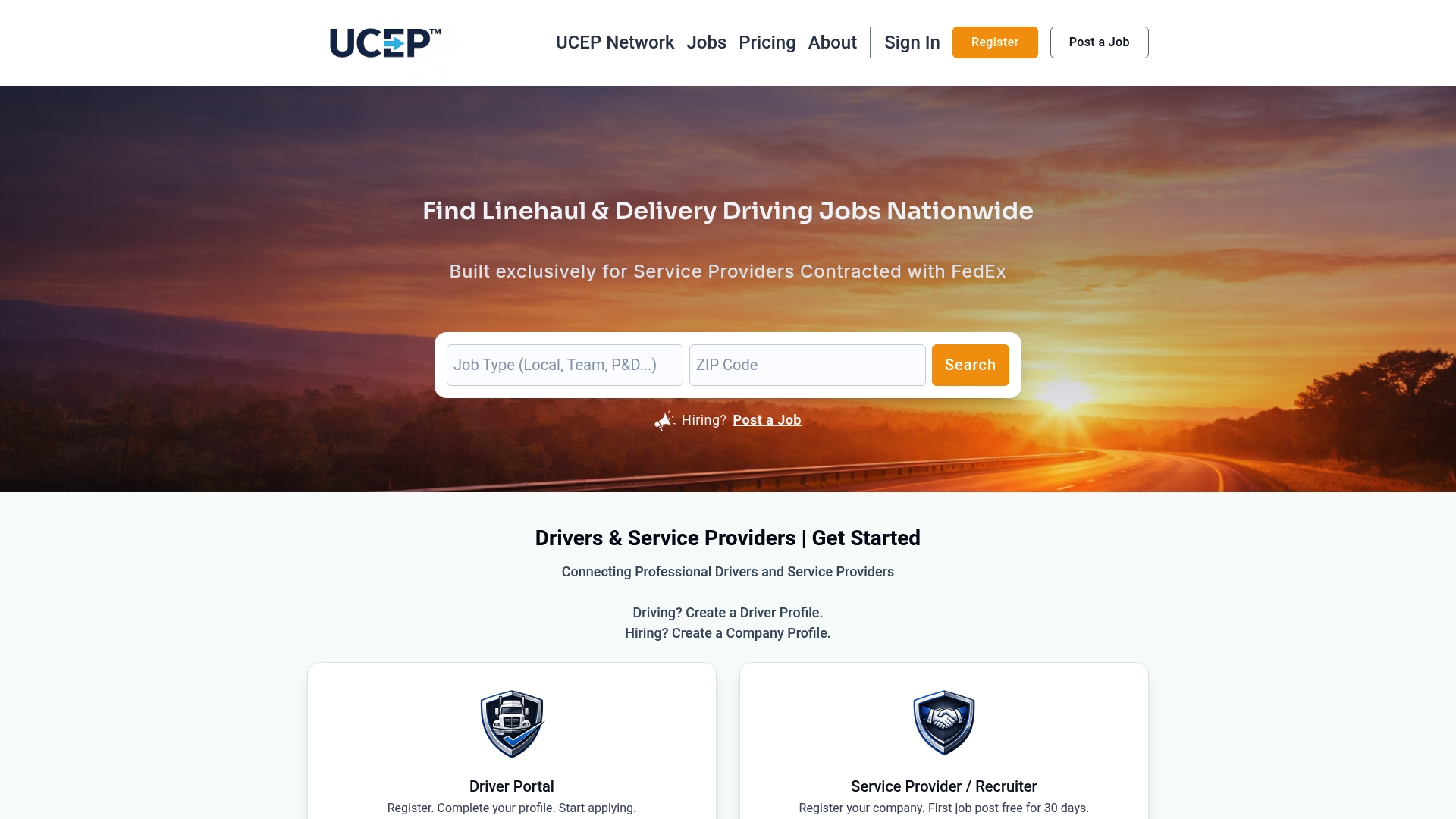
A Service Provider running the 7-day model above could post a CDL-A solo role through UCEP on Day 1, use the built-in applicant tracking system to log pre-screen answers and conditional offer status as verification runs in parallel, and reference terminal directories to make sure the ad copy matches what drivers at that specific location actually expect on pay and home time. Company profiles like Four Leaf Recruiting's listing show how a completed profile and consistent posting cadence keep a pipeline of applicants moving through the funnel rather than starting from zero each week. Check your current job listing setup against that model and see where the gaps are.
Sources
- Driver hiring guide - RMS Truckers
- Fast-Track Hiring: The 7-Day Truck Driver Recruitment Workflow for SMB Fleets - RigonWheels