
Applicant source tracking is the practice of tagging job links so your applicant tracking system (ATS) records exactly which channel produced each application. The immediate action: build tagged links using UTM parameters or your ATS token format, post them, then run a click test in a private browser window to confirm the token survives to the final application page. Skip that check and your reports will fill up with "Unknown."
TL;DR:
- Proper URL tagging with UTM parameters or ATS tokens is essential to ensure source data is accurately captured and attributed in the applicant tracking system.
- Testing each tagged link in a private browser confirms that parameters survive redirects and are correctly reflected in candidate records before relying on the data.
- Manual edits to source data in the ATS can cause reporting discrepancies; logging reasons for edits helps maintain audit trails and reporting accuracy.
- Regularly cleaning and consolidating source lists prevents fragmentation and improves the reliability of reports on hires, time-to-hire, and cost-per-hire by source.
- Combining tagged links with other tracking methods, like cookies and direct integrations, provides redundancy and more complete candidate source insights.
Table of Contents
- What Is Applicant Source Tracking and How Do You Add Tags to Job Links?
- How Do You Verify That a Tracking Link Actually Works?
- How Do ATS Platforms Attribute Sources, and What Happens With Manual Edits?
- Keeping Your Source Data Clean for Reporting
- Implementation Checklist for Rolling Out Source Tracking
- Why Source Tracking Precision Matters for Driver Recruiting
- Turning Source Data Into Better Hiring Decisions
- Beyond Tagged Links: Other Ways ATS Track Applicant Sources
- Connecting Source Data to Your Broader Recruiting Analytics
- Setting Realistic Expectations for Source Tracking
- Get Started With Source Tracking on Ucep
- Vendor Docs Worth Bookmarking
- Sources
- FAQ
What Is Applicant Source Tracking and How Do You Add Tags to Job Links?
Applicant source tracking works through URL parameters appended to the end of a job link. Most ATS platforms recognize either standard UTM parameters (utm_source, utm_medium, utm_campaign) or a vendor-specific token, and both approaches serve the same purpose: they tell the system where the click originated before the candidate ever lands on your application form.
A typical tagged link looks like this: https://careers.yourcompany.com/apply?utm_source=indeed&utm_medium=jobboard&utm_campaign=cdla_solo_q1. The utm_medium and utm_source parameters must be present in the URL for most systems to capture and store the value, and some platforms require fixed source codes while others accept any custom string you define.
Where you append the tag depends on the channel:
- Job boards: attach the tag to the "apply" URL in your posting, not the listing URL itself.
- LinkedIn posts: tag the link you paste into the post text, since LinkedIn's native "Easy Apply" button often bypasses your URL entirely.
- Email campaigns: tag every link in a recruiting email individually, including buttons and text links.
- Career-site widgets: check whether the widget rewrites your URL. Some strip query strings on load.
Build a short naming taxonomy before you tag anything. A workable set looks like: utm_source (indeed, linkedin, referral, careerpage), utm_medium (jobboard, social, email, direct), utm_campaign (role plus quarter, like pd_driver_q1). Keep it in a shared document so nobody invents a new label six months from now.
Pro Tip: Generate every tagged link from one template spreadsheet or link builder, then copy from that source instead of hand-typing parameters. One typo in "utm_source" turns a clean tag into an unrecognized string.
How Do You Verify That a Tracking Link Actually Works?
Tagging a link means nothing if the parameter never reaches the application form. Tracking only works if the candidate clicks the exact tagged link and the parameter survives through any redirects to the final URL, so verification has to happen before you rely on the data.
Run this click test for every channel you post to:
- Copy the tagged link exactly as it will appear live.
- Open a private or incognito browser window, separate from any session where you're logged into the ATS or job board.
- Follow the link and let it load completely.
- Inspect the final URL in the address bar. Confirm the parameters are still attached after any redirect.
- Complete a test application and check the candidate record in your ATS for the correct source value.
If the parameter disappears somewhere along the way, open your browser's developer tools and check the Network tab. Following the redirect chain to confirm the query parameter survives before the final POST request that creates the application record is the most reliable way to isolate where tracking breaks.
Redirect stripping causes more lost source data than any other single failure. Job-board redirects, iframe embeds, strict referrer policies, and incognito browsing all interfere in different ways. If a job board's own redirect strips your tag, ask their support team whether they can preserve query parameters, or route candidates through a landing page you control before sending them to the application form.
How Do ATS Platforms Attribute Sources, and What Happens With Manual Edits?
Most ATS platforms track source at two levels, and mixing them up leads to reporting mistakes. Person-level source captures the channel that brought a candidate into the system the first time. Per-application source captures the channel tied to a specific application, which matters when the same person applies to multiple roles through different channels.

First-touch attribution, the most common default, credits whichever channel introduced the candidate first. Verify your ATS attribution model because paid campaigns can be undercounted when first-touch is favored over a channel that drove a later, more relevant application.
Manual edits complicate things further. Recruiters can typically edit a candidate's captured source, and most systems log that edit in the candidate history as an audit trail. But some platforms only show the current assigned source going forward and don't retroactively update reports you already ran. That means a report pulled last month and a report pulled today might disagree on the same candidate's source, even with no new data entered.
- Check whether your ATS updates historical reports after an edit or only future ones.
- Log the reason for any manual source correction, even briefly, so the audit trail means something later.
- Treat explicit tagged links as your source of truth over inferred referrer data, since referrer-based inference produces far more "Unknown" entries than a tagged link ever will.
Keeping Your Source Data Clean for Reporting
Source lists fragment fast. Typos, inconsistent capitalization, and third-party job boards auto-populating their own naming conventions all produce duplicate entries for what's really one channel, and ATS platforms store both person-level and per-application source fields that need periodic consolidation to stay useful.
Run this cleanup routine monthly:
- Search your source field for near-duplicate variants (indeed, Indeed.com, indeed_jobboard).
- Map each variant to one canonical name.
- Bulk-edit historical records or write a standing consolidation rule if your ATS supports it.
Pull four reports regularly: hires by source, time-to-hire by source, cost-per-hire by source, and percentage tagged as Unknown. Assign one person ownership of the taxonomy so naming doesn't drift channel by channel.
Pro Tip: A rising Unknown percentage almost always points to a broken tag on one specific channel, not a system-wide failure. Check the newest job postings first.
Implementation Checklist for Rolling Out Source Tracking
Before launch, lock your tag taxonomy, generate every tagged link from one template, document the exact posting procedure for each channel, and notify whoever posts jobs so nobody reverts to an untagged link out of habit.
At launch, click-test every channel individually rather than assuming one successful test covers all of them. Verify the token actually appears in the ATS candidate profile after each test application, and escalate to the job board's support team immediately if a redirect strips your parameter.
After launch, monitoring becomes the routine that protects your data:
- Check the Unknown-source percentage weekly.
- Run the full source-list cleanup monthly.
- Keep a simple dashboard tracking hires by source so drift gets caught early, not at year-end review.
Tracking gaps show up fastest on the newest job postings, since that's where an untested tag or a new redirect is most likely to break something.
Why Source Tracking Precision Matters for Driver Recruiting
Ucep works exclusively with FedEx-contracted Service Providers hiring for linehaul, CDL-A team, CDL-A solo, and pickup and delivery roles, which means clean source data carries more weight than it does on a general job board flooded with unrelated traffic.
- A niche board narrows the noise, so a tagged link pointing to a specific posting is far easier to trace than one buried in a mixed-industry feed.
- Fleets running multiple postings across terminals need to know which specific job board, referral program, or driver community actually produces qualified CDL-A applicants, not just generic "job board" traffic.
- Targeted platforms tend to generate a clearer signal on cost-per-hire and time-to-hire than broad boards, where source data gets muddied by high volumes of unqualified clicks.
Service Providers who track sources consistently across terminals can see which recruiting channel actually fills seats, not just which one generates applications.
Turning Source Data Into Better Hiring Decisions
Raw source data sitting in an ATS is only useful once someone builds it into a routine report. Pull a hires-by-source report at least monthly and compare it against your cost-per-hire and time-to-hire figures for the same period. A channel that produces a high volume of applications but a low hire rate is costing you more than the numbers suggest at first glance.
Cleaning the source list has to happen before the report, not after. If your "Indeed," "indeed.com," and "Indeed Job Board" entries are three separate values in your ATS, your hires-by-source report will undercount your best channel and overstate the value of smaller ones. Consolidate variants into one canonical name before you trust any percentage in the output.
Watch the Unknown category as its own metric. A sudden spike usually means one specific channel's tag broke, not that candidates stopped clicking tagged links altogether. Cross-reference the spike against your posting calendar. If it lines up with a new job board or a redesigned career-site widget, that's your starting point for troubleshooting.
Build reports around questions you'll actually act on: which channel produced the most CDL-A hires this quarter, which channel took the longest to convert an application into a hire, and which channel's cost-per-hire justifies renewing the contract next year. A report that just lists numbers without tying them to a decision isn't worth the time it takes to pull.
Beyond Tagged Links: Other Ways ATS Track Applicant Sources
Tagged links are the most reliable method, but they're not the only one your ATS may be running in the background. Understanding the alternatives helps explain why some candidates show up with a source you never intended to track.
Cookie-based tracking drops a small file in the candidate's browser when they visit your career site, then reads that cookie if they apply later. It works reasonably well within a single browser session but breaks the moment a candidate switches devices or clears cookies, which happens often on mobile.
Referrer URL tracking reads the "referrer" header that the browser sends, showing which site the candidate came from. This method requires no setup, but referrer data is far less reliable than an explicit tag, since privacy-focused browsers and many job boards strip or mask referrer headers before the candidate ever reaches your site.
Direct integrations connect your ATS to a specific job board or sourcing partner through an API, passing source data automatically without relying on a URL parameter at all. These tend to be the most consistent option when available, because the data transfers server to server instead of depending on a browser preserving a query string through multiple redirects.
Most recruiting teams end up running a mix: tagged links for anything you post manually, direct integrations for major partners that support them, and cookie or referrer data as a fallback for whatever slips through. Treat the tagged link as your primary source of truth and the rest as backup signals, not the reverse.
Connecting Source Data to Your Broader Recruiting Analytics
Source tracking data becomes far more useful once it leaves your ATS and joins the rest of your recruiting metrics. Most modern ATS platforms support exporting source fields, either through a built-in reporting dashboard, a scheduled CSV export, or an API connection to a broader analytics tool.
If your team already tracks recruiting metrics like time-to-fill or offer-acceptance rate in a separate business intelligence tool or spreadsheet, pull source data into that same view rather than keeping it siloed in the ATS. A side-by-side view of source performance against retention metrics tells you whether your cheapest channel is actually your best one, or just the one that looks best on a cost-per-hire report alone.
For teams running a CRM alongside their ATS, map source fields consistently between the two systems before you sync data. A mismatch in naming conventions between your ATS's "Indeed" and your CRM's "indeed_jobboard" creates the same fragmentation problem inside your analytics tool that it does inside the ATS itself.
Fleet operations tracking broader logistics and workforce data, such as those using a transport management platform to monitor driver capacity and operations, benefit from connecting hiring source performance to the operational side. Knowing which channel produces drivers who stay past their first ninety days matters more than knowing which channel produces the most applications.
Setting Realistic Expectations for Source Tracking
Some percentage of applications will always land as "Unknown." That's not a failure of your setup. It's browsers blocking referrers, candidates copying links into new tabs, and job boards that don't cooperate. Chase consistency and verification instead of a perfect number. Spend developer time on systematic breaks, like a redirect stripping every tag from one board, not on one-off mysteries. A realistic first target: cut Unknown by a meaningful margin within 90 days through verification alone.
— Aaron
Get Started With Source Tracking on Ucep
Ucep is built specifically for FedEx-contracted Service Providers hiring CDL-A team, CDL-A solo, linehaul, and pickup and delivery drivers, which means your job postings sit alongside other roles that actually compete for the same candidates instead of getting lost in general job board traffic. When you post tagged links to your listings, the clearer channel signal helps you see which recruiting source is actually filling seats rather than just generating clicks, improving the accuracy of your hiring analytics.
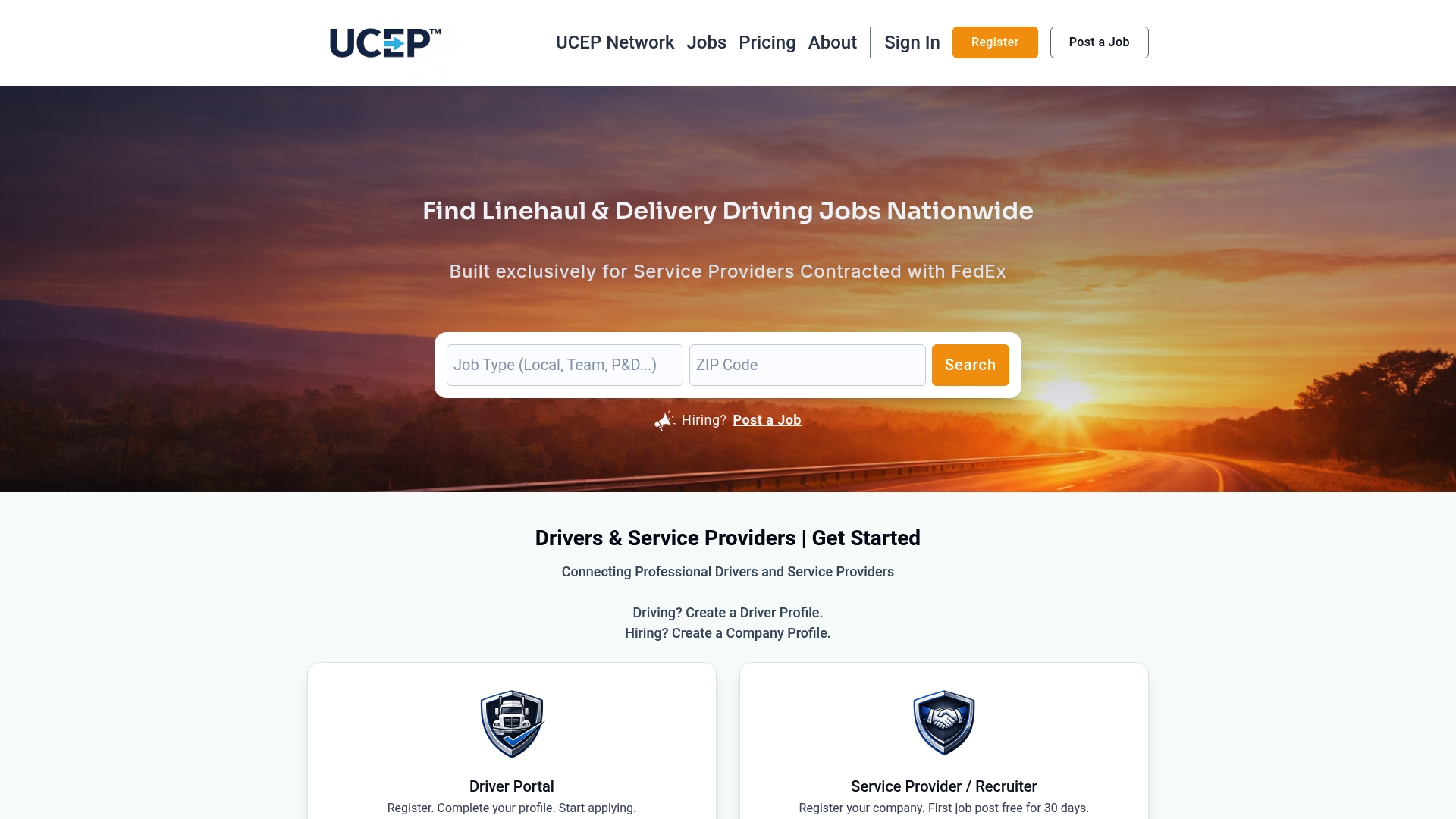
Getting started costs nothing upfront. The Complimentary Trial Listing lets you post a job and see how the platform handles applicant flow before committing to anything, and the Standard Monthly Plan runs on a monthly subscription basis once you're ready to post consistently. Browse current driver job categories to see how listings are structured, then set up your trial listing and start tagging your links from day one.
Vendor Docs Worth Bookmarking
For exact token names and field mappings, Oracle's candidate source tracking documentation covers URL schema requirements. For attribution behavior and manual edit history, consult Greenhouse's tracking links overview. For platform-specific tracking code setup, see LinkedIn's applicant source tracking guide.
Sources
Source tracking data counts as personal information once it's tied to a specific candidate profile, so it falls under the same handling expectations as the rest of your candidate records. Treat it that way from the start rather than as an afterthought.
Collect only what you need to answer a hiring question. A source tag telling you a candidate came through a specific job board campaign is useful; building out a detailed behavioral profile of every page a candidate visited before applying usually isn't, and it adds risk without adding hiring value.
State plainly in your privacy notice that you track application source for recruiting analytics. Most candidates expect this in a general sense, but a short, specific disclosure avoids surprises and keeps you aligned with the transparency expectations most privacy frameworks require.
Limit access to source-level reporting to people who actually need it for hiring decisions. A cost-per-hire report broken down by channel doesn't need to be visible to everyone with ATS login access, and restricting it reduces the chance of misuse or accidental exposure.
Set a retention rule for source data tied to candidates who were never hired. Keeping detailed tracking data indefinitely on rejected applicants adds liability without adding value once your hiring decision is made.
FAQ
What Are the Top ATS Systems Used for Source Tracking?
There's no single universal ranking. Most major ATS platforms, including Greenhouse and Oracle's talent management suite, support UTM-style and token-based source tracking; niche platforms like Ucep support tagged links tailored to driver recruiting specifically.
How Do You Beat an Applicant Tracking System as a Candidate?
Candidates improve their odds by matching resume keywords to the job posting and applying through the exact link provided rather than a generic search result, since some ATS parsing depends on complete, correctly formatted submissions.
What Is the Difference Between an ATS and a CRM?
An ATS manages the hiring workflow from application to offer, while a candidate relationship management (CRM) tool nurtures relationships with candidates before they formally apply. Many recruiting teams sync source data between the two to avoid duplicate reporting.
What Is an Example of an ATS System?
Greenhouse and Oracle's talent management platform are widely used general-purpose ATS systems. Ucep includes a built-in applicant tracking system designed specifically for FedEx service-provider driver hiring, covering the same posting and tracking needs without the general job board noise.
How Much Does Ucep Cost to Post Jobs?
The Standard Monthly Plan costs $99 per month, and a Complimentary Trial Listing is available at no cost for recruiters testing the platform. Full pricing details are available on the Ucep pricing page.