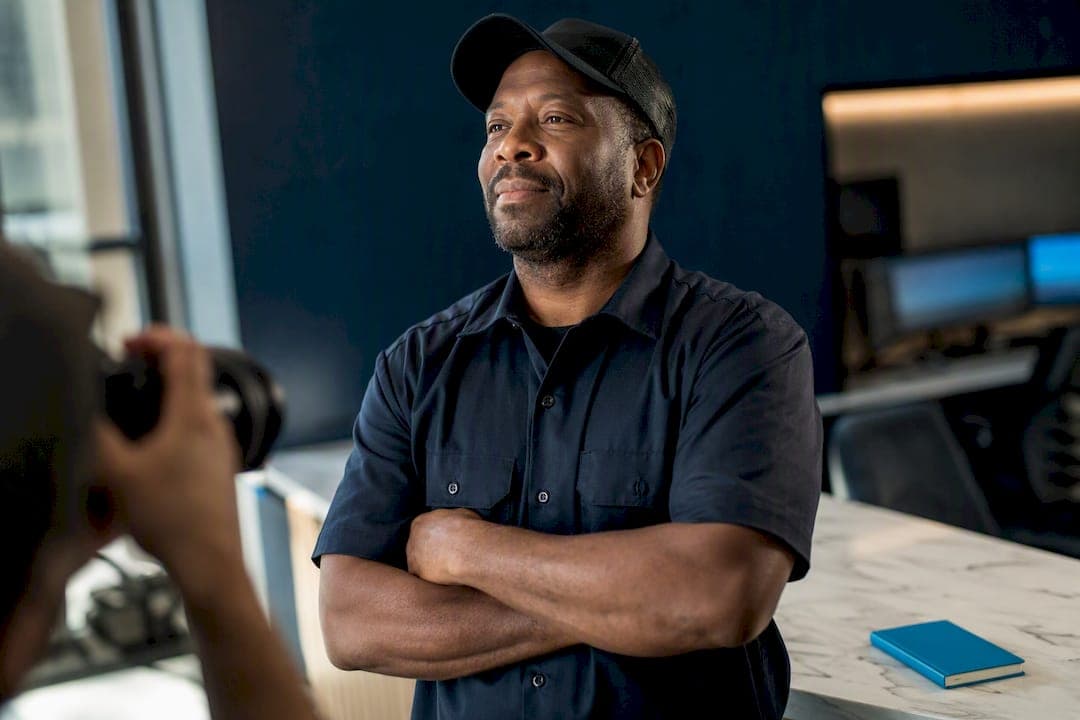
Company profile photos are the images that represent your business or your employees across platforms like LinkedIn, Google Business Profile, and your own website. The fastest next step is to pick a photo style that matches your industry, then pull inspiration or ready-to-use images from curated free sources like Unsplash before you shoot or hire anyone.
TL;DR:
- Using two to three consistent styles for company photos across platforms improves brand coherence and helps different audiences better connect with your business.
- Free stock images are suitable for placeholders but are not recommended for representing actual employees; paid and professional photography yield more authentic results.
- Follow a structured process for pre-shoot planning, shooting, and post-production to ensure photos meet platform specifications and project a professional image.
- Tailor photo styles to industry expectations; for example, finance favors conservative headshots, while creative fields benefit from environmental and personality-revealing images.
- Regularly update and standardize team photos by creating a style guide and appointing an approver to maintain consistency as your team grows.
Table of Contents
- Quick Gallery: 8 Effective Company Profile Photo Styles and When to Use Each
- Where to Get Company Profile Photos: Free, Paid, and DIY Options
- Step-by-Step Checklist for Producing a Polished Company Profile Photo
- Platform Specs and File Requirements for Company Profile Photos
- How Company Profile Photo Style Should Change by Industry
- Keeping Photos Consistent as Your Team Grows
- Where and How to Use Profile Photos Once They're Ready
- Why Consistent Profile Photos Matter More in Hiring Than People Assume
- Sources
Quick Gallery: 8 Effective Company Profile Photo Styles and When to Use Each
Not every business needs the same look. The right style depends on who's viewing the photo and what you want them to feel before they've read a single word of your bio.
- Headshot (neutral background): Best for executives, board bios, and formal leadership pages where credibility matters more than personality.
- Environmental headshot (workspace background): Best for creatives, product leaders, and consultants who want context without a staged studio feel.
- Team grid: Best for service businesses that want to show depth and scale, not just one founder's face.
- Action or role-in-context: Best for service providers and logistics roles, where showing someone doing the job builds more trust than a static portrait.
- Branded background (solid brand color or subtle logo mark): Best for marketing decks, sponsor pages, and press kits that need visual consistency.
- Candid or approachable (natural light, real smiles): Best for client-facing teams in hospitality, healthcare, and retail.
- Logo plus headshot composite: Best for small businesses and directory listings where brand recognition matters as much as the individual.
- Uniform crop variants: Square crops work for grids and directories; circular-safe crops need extra margin around the face so platforms don't clip the forehead or chin when they render the thumbnail.
Most companies end up using two or three of these styles across different pages rather than picking just one.
Where to Get Company Profile Photos: Free, Paid, and DIY Options
You have four realistic paths to a usable photo, and the right one depends on budget, timeline, and how much control you need over the final look.
- Free stock photos: Unsplash and Pexels offer high-quality images cleared for commercial use, which makes them fine for blog headers or placeholder team pages. They're not a great fit for anything meant to represent a specific real employee, since the person in the photo isn't actually on your team.
- Paid stock (iStock, Adobe Stock): Paid libraries add search filters for profession, setting, and demographic representation, plus editorial review that free libraries skip. That extra filtering saves time when you need a photo that looks like it belongs in your specific industry.
- Photographer marketplaces and local pros: Hire a photographer when the photos will represent real employees long-term. Ask about turnaround time, number of edited images delivered, and whether they'll shoot multiple crop ratios in one session.
- DIY and smartphone options: A tight budget doesn't mean a bad photo. A phone, a window for natural light, and a plain wall can produce a usable headshot if you follow a consistent setup for every employee.
One reminder before you publish anything: get written consent from any employee before posting their photo, and if you're using a photo of someone who isn't an employee, confirm the image comes with a proper model release. Microsoft's privacy statement is a useful reference for how platforms expect businesses to handle personal data tied to real people's images.
Step-by-Step Checklist for Producing a Polished Company Profile Photo
Follow this order whether you're shooting it yourself or briefing a hired photographer.
Pre-shoot prep:
- Define where the photo will live (LinkedIn, website, directory) so you know which crop ratios you need.
- Choose one style from the gallery above and stick to it for every person photographed in the same batch.
- Set wardrobe guidance: solid colors photograph better than busy patterns, and sleeves should match the formality of the industry.
- Pick a background that won't compete with the subject, whether that's a plain wall or a blurred office space.
During the shoot: 5. Set up lighting first. Natural light near a window works well for most headshots; a softbox is more reliable if you're shooting the same day as multiple people. 6. Frame so the face fills roughly 60% of the shot, per standard headshot photography guidance. 7. Position the camera at eye level, not above or below, to avoid distorting facial proportions. 8. Coach expression with a simple prompt like "think of something that actually made you laugh this week" rather than "smile." 9. Keep shoulders slightly angled rather than square to the camera for a more natural pose.
Camera basics: 10. On a smartphone, tap to set focus on the eyes and lock exposure before shooting. On a DSLR, use an aperture around f/4 to f/5.6 for sharp focus with a softly blurred background. 11. Check white balance against the light source. Indoor tungsten light needs a warmer correction than daylight. 12. Stabilize the shot, using a tripod or a braced elbow, since even small camera shake shows up at full resolution.
Post-shoot: 13. Export the same crop ratio for every employee so the team page looks uniform. 14. Apply light retouching only, correcting stray hair or a wrinkled collar, not reshaping features. 15. Name files consistently (lastname_firstname_role.jpg) and strip unnecessary metadata before uploading.
That margin protects against auto-cropping cutting off a forehead or chin.*
Pro Tip: Retouch sparingly. Smoothing out a stray hair is fine. Removing every line on someone's face makes the photo look fake next to their real-life introduction, which undercuts the trust you're trying to build in the first place.
Platform Specs and File Requirements for Company Profile Photos
Different platforms crop and compress images differently, so exporting one size and hoping it works everywhere usually backfires.
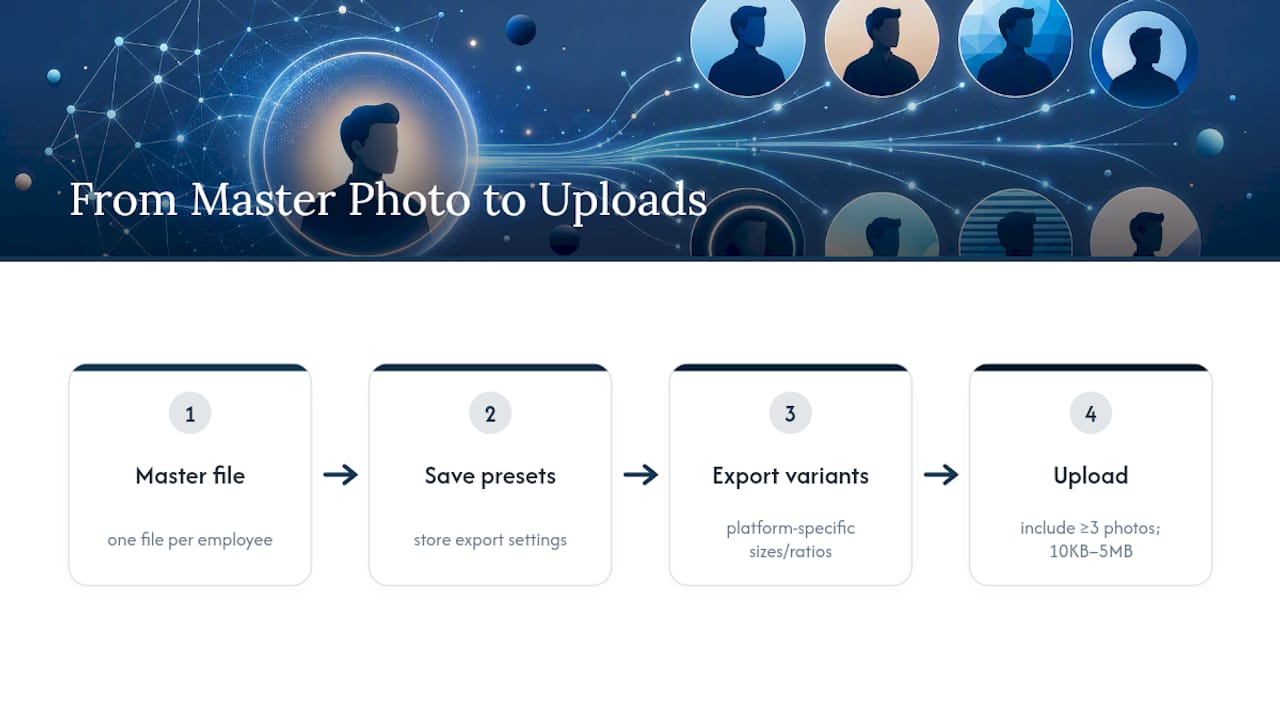
Google's own guidance sets a file size range between 10 KB and 5 MB, and recommends businesses upload at least three team photos to help customers recognize the people behind the listing. Build one master file per employee, then export the sizes above from that master using saved presets. That workflow keeps every derivative consistent and saves you from re-cropping by hand every time a new platform needs a different ratio.
How Company Profile Photo Style Should Change by Industry
A photo that reads as confident in finance can read as stiff in a creative agency, and a photo that feels warm in healthcare can feel unpolished in logistics and operations. Tone should match what your audience expects before they read a word of context.
- Finance: Neutral background, reserved but confident expression, conservative wardrobe. Avoid heavy filters or casual clothing that undercuts the trust cues clients expect.
- Healthcare: Warmer lighting, a softer and more open expression, friendly posture. Avoid harsh studio light or overly formal poses that can feel cold to patients.
- Creative and agency work: Environmental shots with texture or color, relaxed framing that shows personality. Avoid the stiff, corporate headshot look, which can undercut the creative positioning entirely.
- Logistics and operations: Team-focused and role-in-action photos, practical clothing that matches the actual job. Avoid staged studio portraits that feel disconnected from the physical work being done.
Keeping Photos Consistent as Your Team Grows
Consistency gets harder every time you hire, unless you build the system before you need it.
- Write a one-page style guide covering crop ratio, background color, and clothing expectations, then share it with every new hire before their first day photo.
- Choose one operational approach and stick with it: a scheduled team headshot day twice a year, a mobile self-shoot kit for remote hires, or a third-party photographer for batch sessions.
- Assign one person to approve new photos before they go live, and set a refresh cadence (annually is common) so directory pages don't show outdated faces.
- Store a single master file per employee with consistent metadata and naming, so anyone on the team can pull a correctly sized export without asking the original photographer.
Pro Tip: If you manage employer listings on a hiring platform, look at how directory profiles handle verification and photo standards. UCEP's employer profile management tools show one practical model for keeping company photos current across a growing roster of listings.
Where and How to Use Profile Photos Once They're Ready
Placement matters almost as much as the photo itself. A great headshot in the wrong spot, or with no alt text, does less work than it should.
- LinkedIn: Use the tightest, most polished headshot crop, since it's the smallest and most frequently viewed placement.
- Team page grid: Use uniform crops and consistent background treatment so the page reads as one coherent team, not a patchwork.
- Leadership bios: Use environmental or branded-background shots that convey more context than a simple headshot.
- Email signatures: Use a small, simple crop, since detail gets lost at that size anyway.
- Accessibility: Write descriptive alt text ("Head of Operations, Maria Chen, smiling in office setting"), compress files so pages load quickly, and use descriptive file names instead of generic ones like "IMG_4021.jpg."
- Privacy: Get written permission before publishing any employee's photo, and keep a signed model release on file for anyone photographed who isn't a full-time employee.
Why Consistent Profile Photos Matter More in Hiring Than People Assume
Employer listings with real, current team photos read as more trustworthy than listings with stock art or no photos at all, and that difference matters most in industries where trust is earned before the first conversation happens. Google explicitly recommends team photos because they humanize a business for the people deciding whether to reach out.
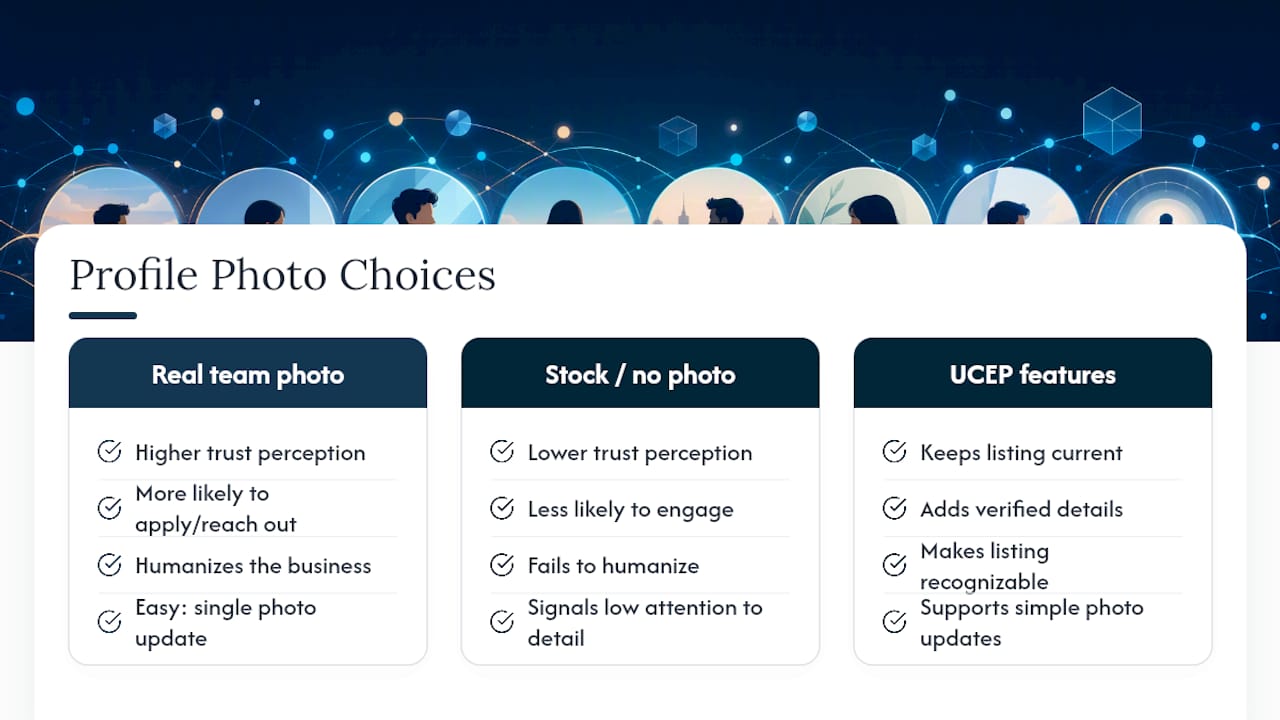
That principle carries directly into hiring. A driver deciding whether to apply to a Service Provider is reading the same trust signals a customer reads on a storefront listing. A profile with a real team photo, a filled-out directory entry, and verified details signals a company that takes its own presentation seriously, which tends to correlate with how seriously it treats new hires.
UCEP's company profile management features exist for exactly this reason: they give Service Providers a straightforward way to keep their employer listing current, verified, and recognizable to the drivers browsing it. Employers who want help setting up a photo program for their listing can start with a single team photo update rather than overhauling everything at once.
— Aaron
Sources
For platform requirements, see Google's Business Profile photo guidelines, which cover format, resolution, and recommended photo counts. For technique, the headshot photography guide covers framing and lighting basics. For multi-use deliverables, see this guide on professional profile images.